Traffic Drop vs Content Decay: What the Brief Should Capture
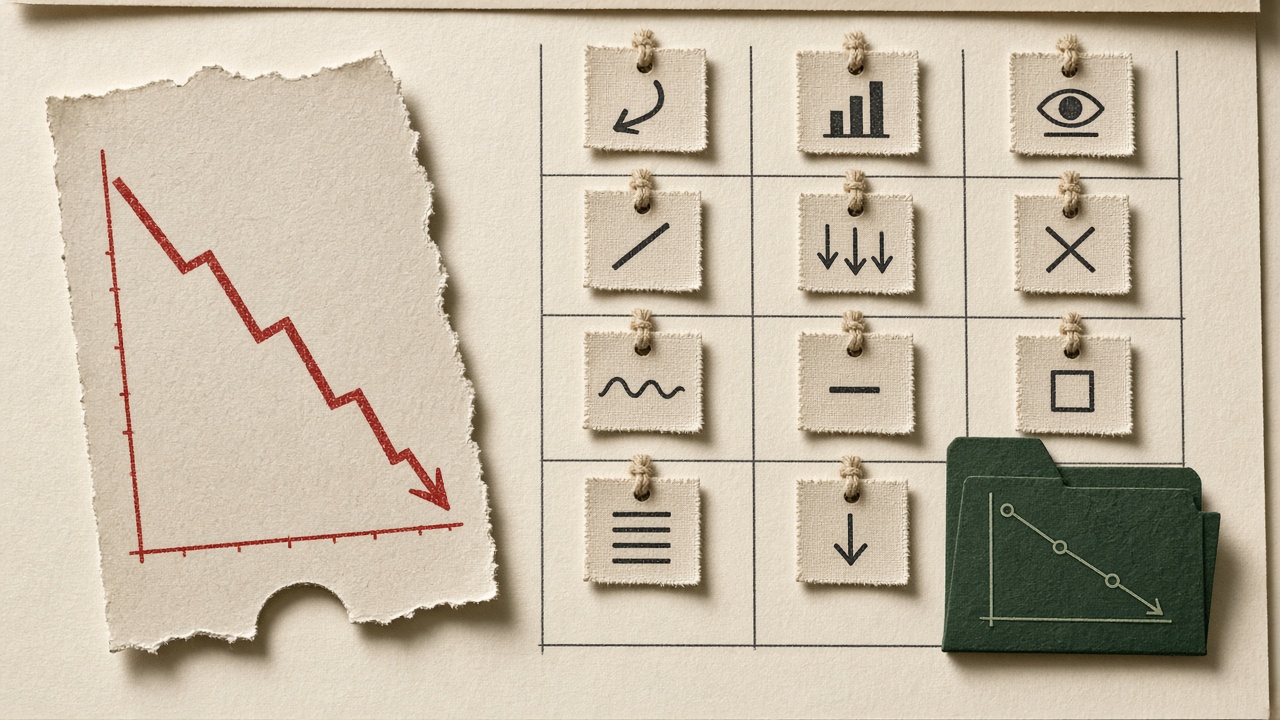
A click chart sliding down is not a content brief. Pages losing traffic can be ranking decay, a weaker title or snippet, a richer result that steals the click, a Search Console logging window, a sitewide technical cliff, or a year-stamped page that simply aged out of the title. Treating every loss as decay sends a writer — or an AI — to rewrite a URL that did not fail on substance.
Google’s own debug path starts with the chart, not the draft. Widen Performance to Last 16 months so a yearly dip is not mistaken for a new loss, then sort the Pages table by Clicks Difference so absolute clicks lost, not a dramatic percentage on a thin page, decide what gets attention. A six-month year-over-year compare does not fit that history; a three-month one does.
The only signature a same-URL refresh reliably fixes is ranking decay: clicks down, impressions down, and average position worse, on one URL, with the rest of the site stable. If impressions hold and clicks fall, Google’s guidance points to the title, the snippet, or a richer competing result — not a ranking loss, and not a rewrite. The rest of this piece is how to put that label, the absolute click loss, and the refuse lines into the brief before anyone touches the page.
- A traffic drop is a symptom until Search Console names the failure mode.
- Start with 16 months of Performance data and sort pages by clicks difference, not percentage loss.
- Only clicks down, impressions down, and a worse position on a stable site justify a content refresh.
- Flat or rising impressions with falling clicks is packaging or zero-click capture, not decay.
- Check data anomalies, indexation, and update windows before briefing a rewrite.
How to Tell a Traffic Drop From Content Decay on One Page
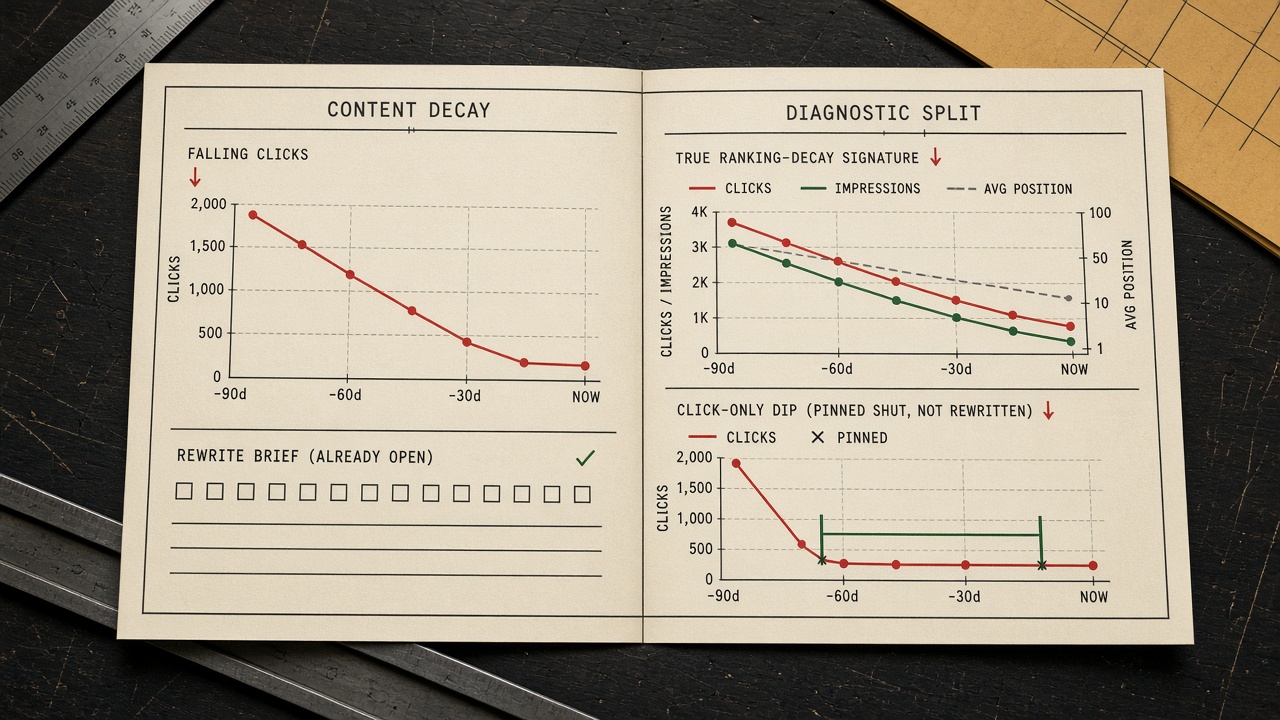
Name the failure mode on the URL before a draft is opened. The same click loss can be decay, packaging, or a year-stamp freshness hit, and the position and impression columns are what separate a rewrite from a refused one.
The same 40% click loss splits cleanly. A guide that slid from position 4 to 12 against a fresher competitor is decay. If position held and click-through rate halved, the problem is packaging — title, snippet, or a zero-click result — not a rewrite. A slip from position 2 to 4 can cut traffic without a large impression change; if the page still performs, do not radically edit it.
Year-stamped and comparison pages are the freshness exception. They routinely lose 40 to 60 percent of traffic in the first quarter unless updated, and that update stays on the same URL only after other drop branches are ruled out. Record the signature in the brief. Confirm it with the 12-signal log and the monthly audit rather than reprinting those checklists here.
The signature — Refresh the same URL only when clicks, impressions, and position all worsen on a stable site. A held position with falling clicks is packaging, not decay.
What Search Console Comparison to Run Before a Rewrite
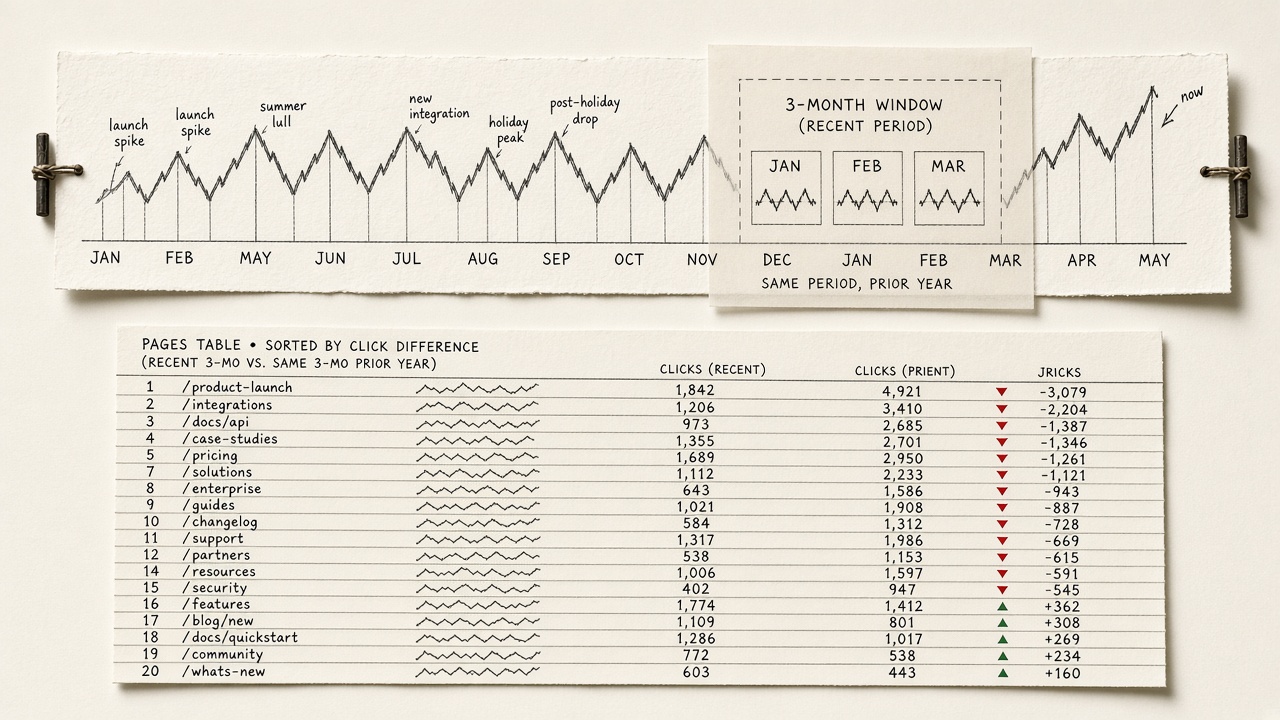
That signature only holds if the comparison window is honest. Before you brief a rewrite, open Performance and set the date filter to Last 16 months. Google’s recommended first read is that chart, so a yearly dip is not mistaken for a new loss.
Next, sort the Pages table by clicks difference. That order shows whether one page, a group, or the whole site lost traffic. A sitewide cliff is not a same-URL brief.
Then compare three months with the same three months a year earlier. That pair fits inside the 16-month history. A six-month year-over-year compare would need 18 months Search Console does not keep, so do not invent a window the report cannot show.
Inside a 16-month chart, seasonality returns toward last year’s shape on the same queries. Decay does not recover on that repeat. Log both windows on the packet before anyone writes.
Window first — Start with a 16-month Performance chart, sort Pages by clicks difference, and pair three months with the same three a year earlier. Seasonality repeats last year’s shape; decay does not — and a six-month year-over-year compare does not fit the history Search Console keeps.
Why Clicks Fall When Impressions and Position Hold

The windows you just pulled show the shape of the loss, not the cause. If impressions hold and clicks fall, treat it as the title, the snippet, or a richer competing result — not a ranking loss, and not a reason to rewrite the page as if it had decayed.
Zero-click capture is the other signature: clicks down, impressions flat or up, and position stable or better. A routine refresh does not restore those clicks. An AI Overview does not change that rule. It means you should try to get cited or tighten the snippet, not run a decay rewrite, unless position also worsened.
In 2026 fewer than one in three Google searches still send a click, and about 68% end without one, up from roughly 60% two years earlier. Rank can look healthy while the click simply never leaves the results page.
On queries with an AI Overview, Seer measured click-through falling from 3.19% in January 2025 to 1.31% in December 2025, then recovering to 2.36% by February 2026, across 53 brands and 2.43 billion impressions. Cited brands averaged 2.07% versus 0.94% uncited — about 120% more clicks per impression — and still ran about 38% below a no-Overview result.
Confirm the live result before the brief names a cause. If an Overview is the costume, the job is citation or snippet packaging, not a same-URL decay rewrite.
Hold the rewrite — Clicks down with impressions and position held is packaging or zero-click capture. Citation can recover some of those clicks; a decay rewrite cannot, unless position also worsened.
Cited vs uncited CTR in AIOs
Should You Trust Year-over-Year Impressions?
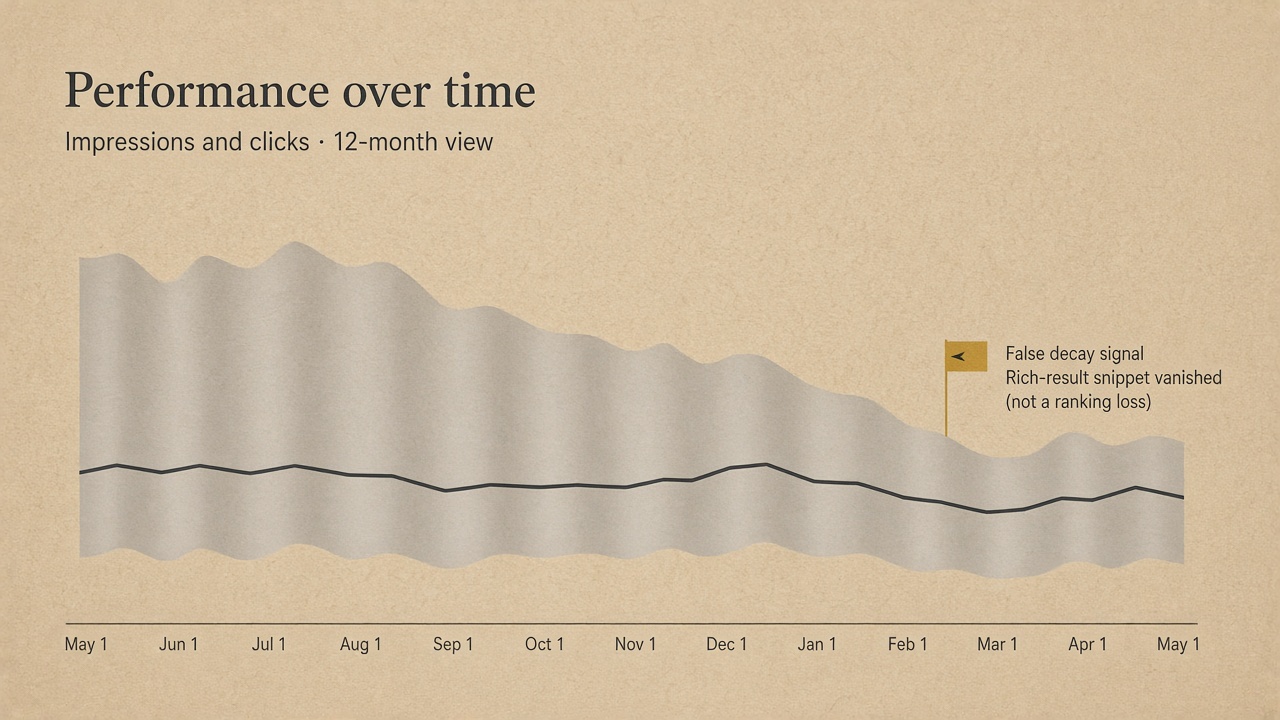
That packaging read still depends on a chart you can trust. Do not treat a year-over-year impression drop inside Google’s logging window as demand decay. A logging error misreported impressions, CTR, and average position from May 13, 2025 until April 27, 2026. Clicks were not affected, and historical impressions were not repaired.
Record a data-anomaly check on every packet. Read clicks. Treat impression, CTR, and average position in that window as unreliable, so a gap there cannot justify a same-URL refresh.
FAQ rich results no longer appear as of May 7, 2026, so FAQ impressions can fall in Performance with no content change. Tag that search-appearance drop as packaging, put it in the brief as a refused rewrite, and confirm the live result before calling it demand loss.
Unreliable chart — A year-over-year impression slide from May 13, 2025 to April 27, 2026, or an FAQ appearance loss after May 7, 2026, is a data or packaging artifact — not demand decay, and not a rewrite.
What If the Whole Site Dropped on Update Day?
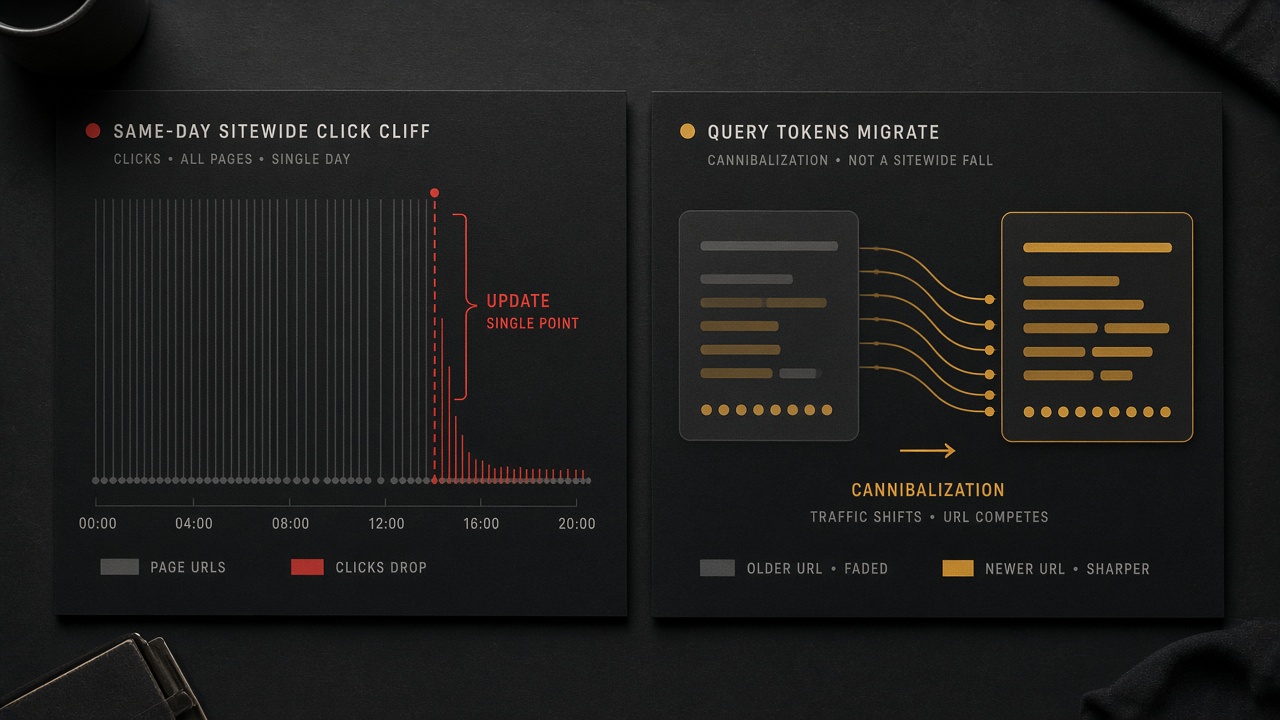
Timing is the next split after those refused rewrites. A slow 5% monthly slide over eight months is the decay pattern. A 40% overnight drop is an algorithm or technical issue, not decay.
If the whole site, or a large group, fell on the same day as a core or spam update, tag UPDATE and do not brief a rewrite. An algorithmic hit may mean there is nothing fundamentally wrong with the content.
Rule out indexation and coverage first. Those regressions produced 18 to 25 percent of confirmed drops and are the cheapest branch to close.
Cannibalization is a query move, not aging copy: the older URL lost clicks while a newer URL rose on the same queries. Consolidate, canonical, or retarget. Do not refresh the loser as if it decayed. Link the weekly priority queue only after this label exists; do not rescore the publishing queue here.
Label first — A same-day sitewide drop is an update or technical issue, and a rising newer URL is cannibalization — neither justifies refreshing the losing page as if the copy had decayed.
What Fields Should a Content Refresh Brief Capture?
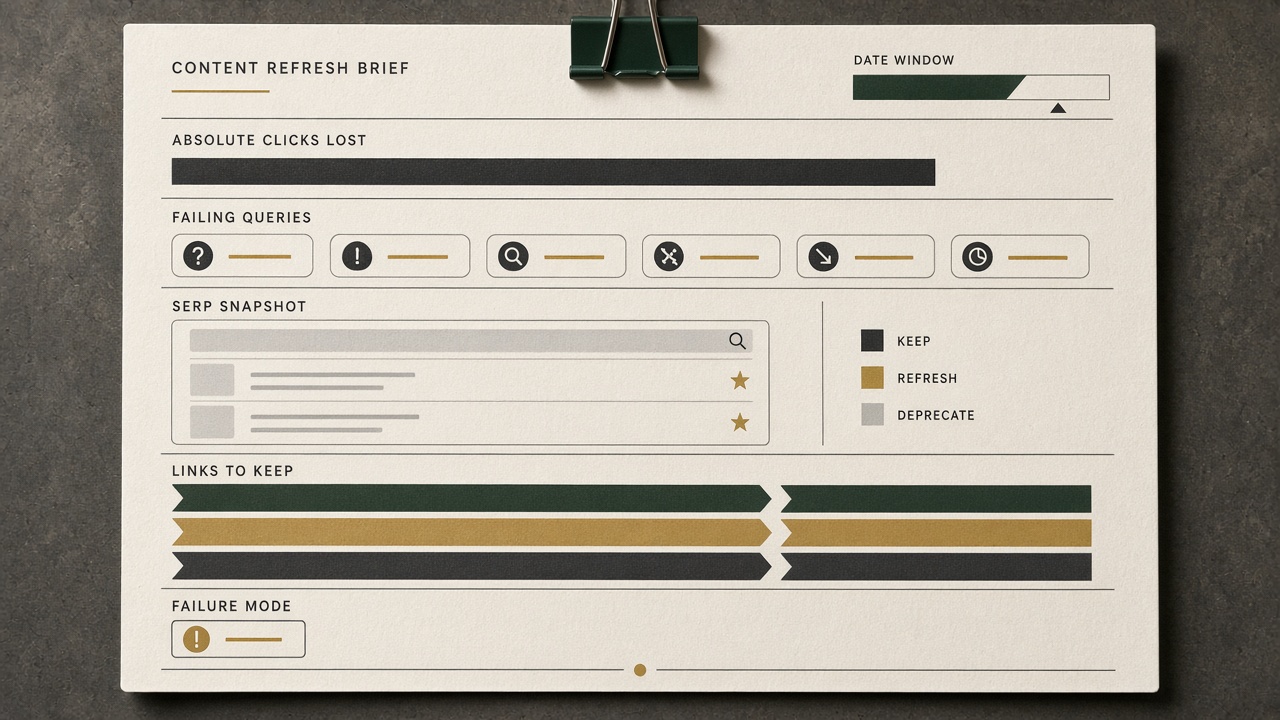
Open a same-URL content brief only for the DECAY tag, or the already-cleared year-stamp exception — no label, no brief. Classify the failure mode before you brief a writer. Absolute clicks matter more than the percentage: a drop from 2,000 clicks a month to 800 outweighs a similar-looking percentage drop on a 50-click page.
Hand the labeled packet to the refresh strategy you already run. Capture ends here; this article does not rewrite the page.
Absolute clicks — A same-URL brief opens only on DECAY, or a cleared year-stamp, and a fall from 2,000 clicks a month to 800 outranks a matching percentage on a 50-click page.
What the Brief Should Refuse, and When to Judge the Refresh

The packet only earns a rewrite if it also names what not to touch. Unless the tag is DECAY, the brief refuses a content fix for CTR loss, zero-click capture, demand shift, seasonality, a same-day update, index or coverage failure, cannibalization, the impression-logging anomaly, and the FAQ rich-result removal.
If the tag is not DECAY, the keep list is the only content instruction. Forbid the writer or the AI from inventing outdated claims, opening a new URL, or staging a ranking rescue when position held.
Judge a refresh only after the URL is recrawled, and only against a comparison window as long as the one you diagnosed — not the first days of clicks. Read clicks first. Do not score impressions, CTR, or average position if that window still sits inside the unrepaired May 13, 2025–April 27, 2026 logging error.
Hold the line — A non-DECAY packet is a refusal, not a rewrite, and even a real refresh is judged on clicks only after a matching window — never on the broken impression log.
Key Takeaways
Label the next traffic loss in Search Console before anyone rewrites the URL, and send only a cleared DECAY packet into the refresh.
Frequently Asked Questions
You Might Also Like
- Measurement Content Decay Signals: What to Check Before You Rewrite a Ranking Page
- Measurement Content Decay Checklist: 12 Signals to Log Before You Rewrite
- Measurement How to Prioritize a Content Decay Audit When You Publish Weekly
- Measurement Content Decay Audit: A Monthly Checklist Before Rankings Slip
- Measurement How to Attribute Rankings to Briefs, Not Just Posts