Content Decay Audit: A Monthly Checklist Before Rankings Slip
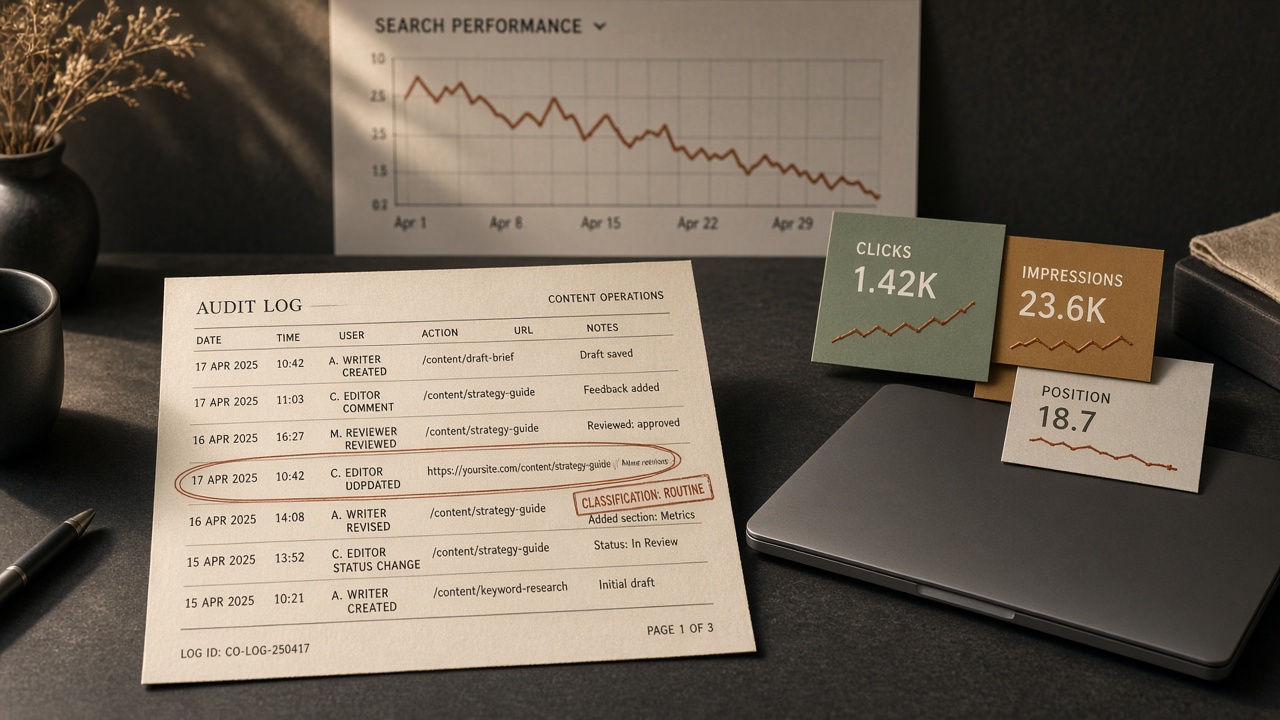
Content decay is not a penalty and not an algorithm hit. Ahrefs describes it as a gradual loss of organic traffic and rankings over months, sometimes years, and names competitor improvement as the most common cause because displacement happens slowly. A rewrite sprint treats every dip as the same problem. A content decay audit does the opposite: it measures first, names the signature, and only then decides whether the page should be touched.
What follows is the monthly pass that turns a slip into a routed decision—hold, snippet test, refresh brief, consolidate, redirect, or prune—before a calendar of rewrites invents work the data does not support.
- A content decay audit classifies the slip before anyone edits the URL.
- Compare the last three months with the same period a year earlier, and keep a 16-month Search Console view so seasonality is not called decay.
- Read clicks, impressions, and average position together; flat impressions with falling clicks point to the snippet or a SERP feature, not a full rewrite.
- A small position move, such as 2 to 4, is not a rewrite trigger if the page is still performing.
- The output is a routed decision—hold, snippet test, refresh brief, consolidate, redirect, or prune—not a second content calendar.
What a Content Decay Audit Is, and How It Differs from a Traffic Drop

A content decay audit is a monthly measurement pass that classifies a gradual slip before anyone edits the URL. It is not a rewrite sprint, and it is not a new content calendar. You open the log to name what kind of slip you are looking at, then route the page. Editing comes only after that decision, and only if the route calls for it.
The shape to look for is a trend, not a cliff. A page that has been easing down across several comparison periods is a decay candidate; a page that fell off a ledge on a single date is something else.
A sudden, site-wide, date-aligned drop is an event to debug, not page-level decay. Ranking checks, indexation, and algorithm-timing work already belong in a decay-signals review and in Google’s traffic-drop debugging. This pass does not restage those checks. If the whole site moved together on one date, stop treating individual URLs as if each one aged out on its own.
The output is one routed decision per URL: hold, a snippet test, a refresh brief, consolidate, redirect, or prune. That log feeds the refresh hub. It does not republish the refresh calendar, the signal cluster, or a second brief template. Classification is the job of the month; production volume is a later constraint, not a reason to skip the route.
How Often Should a Small Team Run a Content Decay Audit?

A small team, or a one-person operator, should run a content decay audit monthly, on a fixed day, against a short priority list. Not once a year, and not across the whole archive. Treat the day the way you treat the monthly KPI readout: same date, same short set of URLs that already earn traffic or sit near a ranking that matters. Log the flags beside index health in that existing report, not in a second dashboard. If the list grows past what one person can classify in a sitting, cut the list, not the month.
Annual-only reviews typically surface decay about six months after it started. The monthly pass exists to catch the slip earlier, not to create a monthly rewrite. Separate the cadence of measurement from the cadence of editing. Classify every URL on the priority list each month, then ship only the URLs a later cap allows. Collapsing those two jobs is how a checklist turns into a rewrite sprint.
Monthly, not yearly — A small team classifies a short priority list on a fixed day each month, next to the existing KPI report, and edits only what the month’s cap allows.
Which Search Console Date Ranges a Monthly Audit Should Use
The working comparison is the page’s last 3 months in Search Console versus the same 3 months one year earlier. That pairing cancels a seasonal dip a recent-versus-previous-month view would treat as a slip, which is why it is the date window a monthly decay audit should lock in before anyone classifies the URL.
Keep the 16-month Performance chart open while you make that comparison. A drop should be checked against the same pattern a year earlier before it is called decay. A three-month year-over-year view fits inside Search Console’s 16-month history. A six-month year-over-year view would need 18 months Google does not keep, so do not invent that comparison or stitch exports to fake it.
What impression-data caveats matter for 2025 and 2026 comparisons
Impression comparisons that include 2025 are noisy, and that noise still sits inside many 2026 year-over-year reads. Google removed the num=100 parameter in September 2025, and a logging error inflated impressions from May 2025. Clicks were not affected. Do not call an impression-only drop demand decay until the live SERP is checked. Treat those months as a caveat on the log, not as a rewrite trigger.
Record both ranges on the audit line, and add a note if either window overlaps the distorted impression months. The classification still waits on clicks and average position read together, not on impressions alone.
Date window — Compare the last 3 months with the same 3 months a year earlier, confirm the shape on the 16-month chart, and flag any window that overlaps the distorted 2025 impression months instead of treating an impression-only drop as decay.
What Clicks, Impressions, and Average Position Say Together

Once the date windows are clean, do not read clicks, impressions, or average position on their own. The trio is the signature. A single falling column only says something moved; the other two say what kind of slip it is.
Falling impressions and falling click-through rate together are a classic decay signal: fewer people are seeing the URL, and a smaller share of those who do are choosing it. Flat impressions with a falling click-through rate more often mean you are still being shown, but something on the results page changed.
Name the slip before anyone opens the page. Ranking decay shows up as average position slipping while impressions and clicks fall with it. Zero-click capture keeps impressions steadier and position familiar while clicks and click-through rate drop, because a snippet, feature, or overview is answering the query above the link. Intent drift keeps volume in the query set but the clicks no longer match what the page is built to satisfy—the queries that still impress are not the ones the URL was written for. Demand decay pulls impressions and clicks down together while position barely moves, because fewer people are searching, not because the page lost its place.
A stable average position does not mean the page is fine. Clicks can fall while the position number looks steady, which is exactly how zero-click capture and a quiet demand drop hide inside an otherwise calm report. The reverse is also true: a small move, such as from position 2 to 4, can cut traffic without a large impression change. If the page is still performing, that wobble is not a rewrite trigger. Google’s own debugging guidance is to avoid radical changes when a page is already doing well.
Log the signature in one line—metrics, direction, and the class you assigned—so the next pass can test snippet and AI Overview causes before anyone rewrites the body.
Read the trio — Clicks, impressions, and average position only mean something as a trio. Classify ranking decay, zero-click capture, intent drift, or demand decay, and leave the edit decision for the routing step.
When a Click Drop Is a Snippet or AI Overview Problem

The signature you just logged is what decides whether a click drop is a snippet or AI Overview problem instead of ranking decay. If impressions stay about the same while clicks fall, treat it first as a title, snippet, or a more appealing rich result — not a visibility collapse and not a body rewrite. Google’s debugging guidance points the same way: unchanged impressions with fewer clicks mean the listing, or the result around it, changed. The page did not disappear.
Put the zero-click context on the log before you name a cause. In the cited 2026 read, about 68% of Google searches end without a click, up from roughly 60% two years earlier, and the top organic result loses around 58% of clicks when an AI Overview appears. That is capture on the results page, not proof the body failed. Confirm the live SERP before you assign the cause. The action is a snippet test. A full refresh brief is not.
How AI citation loss shows up on the audit
AI citation loss is its own line, not a substitute for the organic signature. A page can still rank on page one and be absent from ChatGPT recommendations or Google AI Overviews. Across 16.975 million cited URLs, AI assistants cited pages 25.7% fresher than organic SERP URLs — 1,064 days old versus 1,432. Record citation absence and that freshness gap as a note. Do not treat the gap as automatic proof the body must be rewritten this month.
The fail-closed checks that sit in front of any rewrite live in the decay-signals piece; this pass only routes the URL. If the organic signature is stable impressions and falling clicks, the route is a snippet test, with citation absence noted beside it rather than folded into a refresh.
Snippet first — Stable impressions with falling clicks mean a title, snippet, or AI Overview test — not a body rewrite — and citation loss is a separate note, not proof the page is stale enough to refresh this month.
What the Checklist Logs Before Anyone Rewrites a Page
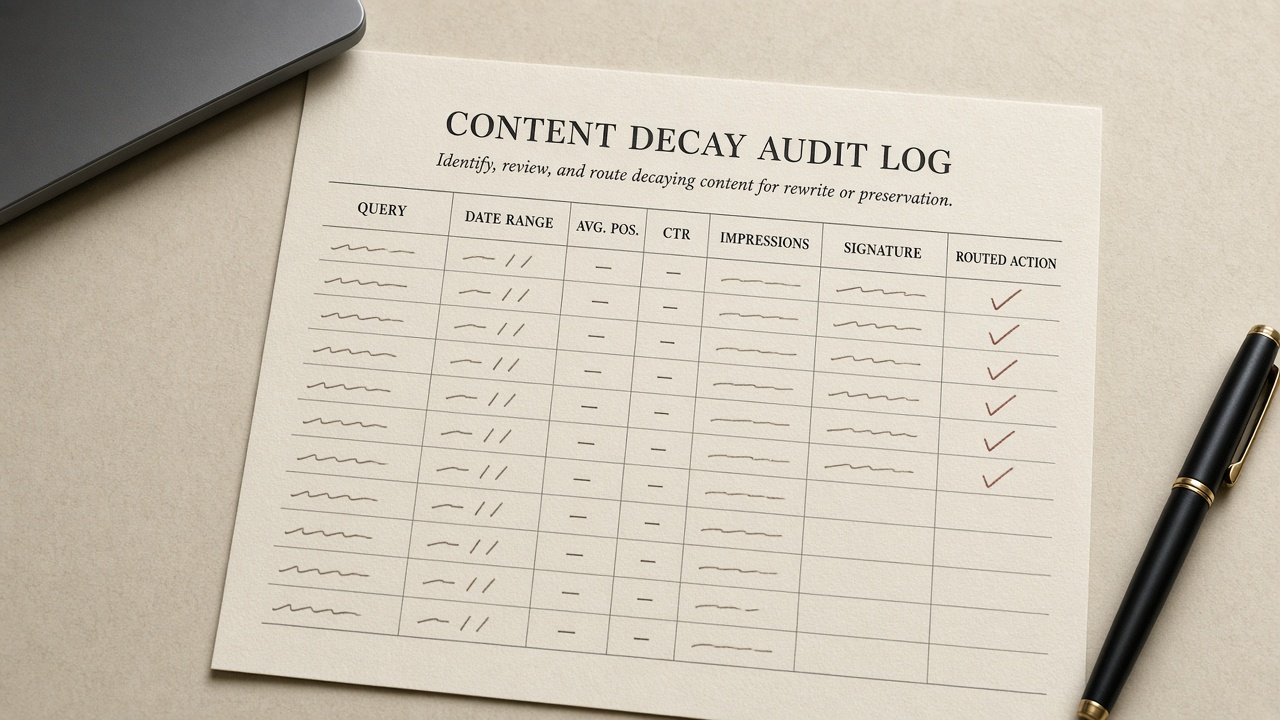
Once the live SERP check and the AI-citation note are on the row, the rewrite still waits. Nothing gets edited until that line holds the URL, the primary query, both date ranges, clicks, impressions, average position, CTR, the signature, those two notes, and the routed action. An incomplete row is a hold, not a draft.
Record flags; do not auto-edit on them. A practical Tier 1 start for priority URLs is impressions down 15% or more versus the prior 28 days for two months, clicks down 20% or more, CTR down more than 1 point at a similar position, or the primary query down 2 or more positions. Tune those cuts to the site. One flag means watch, not a rewrite.
The handoff is not a new template. If the route is refresh, pass the existing brief only the URL, the primary query, proof the signature is ranking decay, what the SERP changed, what must not change, and the comparison window you will judge later. How to update the page stays in the refresh-strategy article; this audit does not restate it. If the route is hold, snippet test, consolidate, redirect, or prune, the same row still closes — with the reason a body rewrite was refused.
Gate the edit — A finished row routes the URL; it does not start the rewrite. Flags are a watch, and only a ranking-decay signature earns a short handoff to the brief you already use.
When to Refresh, Consolidate, Redirect, or Prune a Decaying Page

Once the audit row is complete, the route is the decision—not a prompt to open a rewrite. Only ranking decay, clicks down and impressions down with a worse position, is reliably fixed by a content refresh. Zero-click capture, intent drift, and demand decay need different actions, which is why the signature was logged before anyone touched the body.
Refresh only when the signature and the cap agree
Send the URL to a refresh when it still targets the same query and the same intent, the ranking signature is confirmed, and the page is on this month’s cap. Do not open a parallel rewrite doc, and do not schedule the work here; once the route is refresh, timing belongs on the existing refresh calendar.
Consolidate, redirect, or prune when a rewrite is the wrong job
- Consolidate when another URL already owns the query, or two pages split one intent, so the survivor is the page that should rank.
- Redirect when that survivor should inherit this URL, and record the target on the same row.
- Prune when the query is gone and the page has no internal job—no useful inbound links, no conversion role, nothing a redirect should keep.
Hold when the signature is a snippet or AI Overview problem, a small position wobble on a page that still performs, or demand that left the market. Those cases fail the refresh test on purpose. Cluster-level kills stay with the existing pruning article. This checklist decides one URL, writes the reason a body rewrite was refused or allowed, and stops.
Route, then stop — Refresh only a confirmed ranking-decay URL that is on this month’s cap; consolidate, redirect, prune, or hold everything else, and leave scheduling to the existing refresh calendar.
How to Prioritize Decaying Pages If You Publish Every Week

Publishing every week does not raise the refresh cap. Once a URL is classified, most one-person operators can still ship only a few meaningful updates. The audit’s job is to keep that queue that small, not to match the cadence of new posts.
Work a short priority order. First are flagship or revenue URLs with a clean ranking-decay signature and two aligned flags held across two monthly passes. After those, take other priority URLs with the same clean signature. One flag means watch, not edit. A new weekly post does not jump ahead of a classified refresh, and a classified refresh does not jump ahead of an unclassified click drop. If the row is incomplete, the URL stays off the list.
Which pages a one-person operator should refuse this month
Refuse the URL this month when the slip is not a confirmed ranking-decay problem the cap can absorb. Say no in the log with the reason, so next month’s pass does not reopen the same argument.
- Snippet-only or AI Overview click drops
- Site-wide, date-aligned drops
- Impression drops inside a distorted comparison window the live SERP has not confirmed
- URLs still inside the post-change wait
- Pages you want to prune only because the cluster feels stale
Keep the queue small — Weekly publishing does not expand the refresh queue. Ship only flagship or other priority URLs with a clean ranking-decay signature and two aligned flags across two monthly passes; everything else is a logged no.
How Long to Wait After a Change Before You Judge It

Do not judge a snippet test or a refresh on the next day's Search Console chart. Re-read the same date-range comparison on the next monthly pass before you open another edit.
Treat the research as a caution, not a countdown. In a RepublishAI study of 14,987 URLs, non-updated pages lost an average of 2.51 positions over 76 days. Pages that added 31–100% more content gained 5.45 positions versus that control (p=0.026). A broader claim that any update cuts decay 87% was not statistically significant (p=0.09).
The lesson for the log is that movement shows up over weeks, and "any edit" is not a proven fix. Do not invent a universal day-count the evidence does not give. While a URL is in that wait, it stays on the refuse list. A second rewrite before the next comparable window is how teams hide whether the first change worked. Classify, route, change once, then wait for the same comparison before anyone touches the URL again.
Wait — Judge a snippet test or refresh on the next monthly pass with the same date-range comparison, not the next day's chart—and do not rewrite again until that window is in.
Key Takeaways
Put next month’s decay audit on the same day as your KPI report and close every priority URL with a classified action before anyone opens a rewrite.