Content Decay Checklist: 12 Signals to Log Before You Rewrite
A quieter URL is not a rewrite brief. Content decay is a slow, page-level slide in clicks, impressions, or position—not an overnight penalty—and the chart can lie in more than one way: shrinking demand, a weaker snippet, a seasonal dip, an index or canonical problem, or a Search Console impression error from 2025. The usual pattern is maintenance lag, not a sudden failure. 82% of high-ranking blog posts start losing traffic within 12 to 24 months if they are not maintained, and the signature is a grind—about 5% a month—not a cliff. Before you call any dip new, open the Performance report to the last 16 months, so a yearly seasonal pattern is not mistaken for a fresh problem. This checklist is the log row you fill first: metrics, comparison window, queries, non-content checks, suspected cause, and a hold, refresh, rewrite, or prune call. Clicks, impressions, average position, and CTR are read as a set, because only one pairing points at a rewrite. The first section is the shape of the slide—that shape decides whether editing the page is even the right job.
- Content decay is a slow page-level slide, not an overnight penalty or an automatic rewrite.
- Read clicks, impressions, CTR, and average position together; each pairing points to a different fix.
- Compare at least 28 days, prefer 90 days and year over year, and set the chart to 16 months so seasonality is visible.
- Do not treat 2025 year-over-year impression drops as lost demand; that logging error did not affect clicks.
- Rule out index, canonical, sitewide, and cannibalization issues, and rank absolute click loss above percentage drops, before a rewrite brief.
A Slow Slide Is Decay; a Cliff Is Something Else
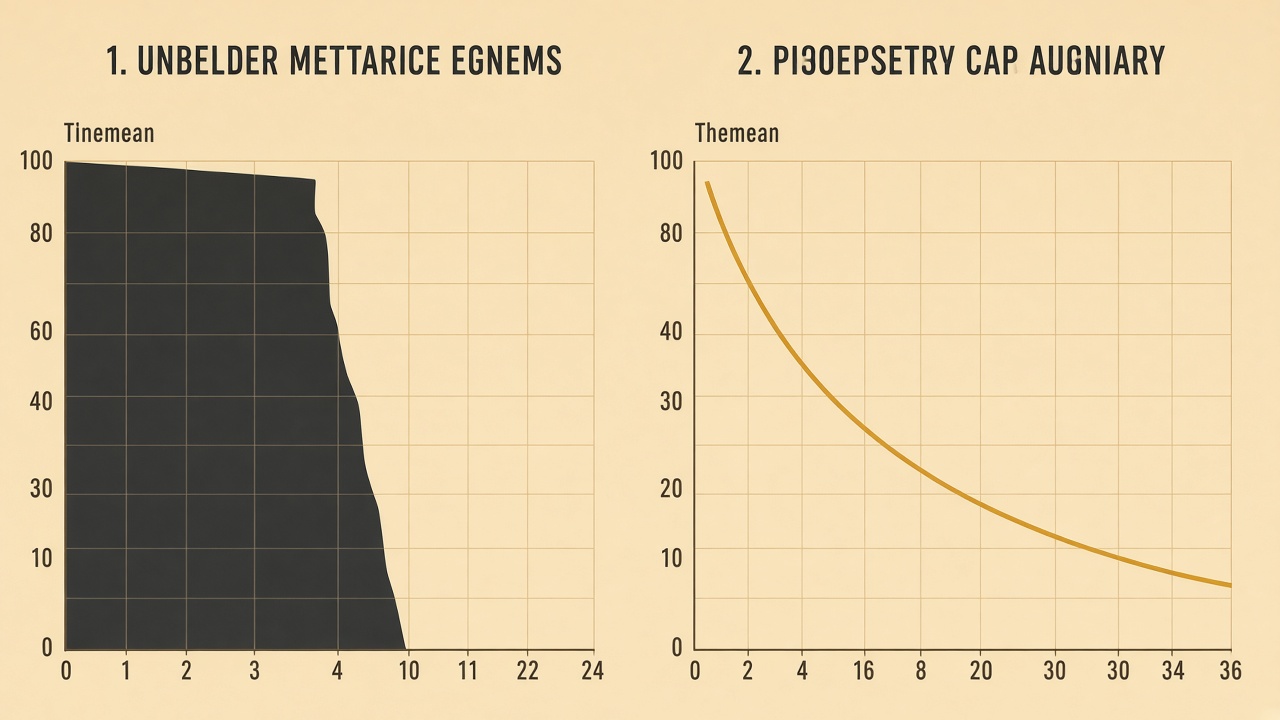
The page is still indexed and still competing, so the question is the pace of the loss, not whether the URL vanished. A large drop that arrives in a day is a different event: a penalty, a technical break, or a logging error. Do not label that decay, and do not answer it with a rewrite.
Log the shape of the curve before anyone opens a rewrite brief. If the line is a cliff, this checklist stops and a different diagnosis starts. If it is a multi-month slide, the rest of the log — clicks, impressions, position, and the window you measured — is what decides whether a rewrite is even on the table.
Shape first — Decay is a slow page-level slide over months. A cliff is a different event, and a rewrite is the wrong response until the shape of the curve is logged.
Log Clicks, Impressions, CTR, and Position as One Set
A cliff already told you to stop this checklist. A slow slide still needs a row before anyone rewrites the page. The Search Console numbers to log first are clicks, impressions, click-through rate, and average position—four fields, read as one set. One declining line is not a diagnosis.
Traffic is a lagging signal. By the time a page has lost 30 percent of organic visits, the underlying problem may already have been visible in Search Console for weeks, so the row starts in the Performance report, not in a gut read of analytics.
On that same row, record the URL, the exact comparison window, and the country and device filters so a later edit cannot mix ranges. Leave the suspected cause blank until the pairings and false-alarm checks below fill it.
The quartet — Log clicks, impressions, CTR, and average position together, with the URL, window, and filters attached, and leave the cause empty until later checks name it.
28 Days, 90 Days, or 16 Months: Which Window Can Call It Decay
Once clicks, impressions, CTR, and average position sit on the same log row, the comparison window is what makes those numbers a decay call rather than a noisy week. Do not diagnose an evergreen page from fewer than 14 complete days. The practical short window is 28 complete days versus the preceding 28 — useful for spotting a slide early, not enough on its own to name it decay.
The decay flag uses 90 days versus the prior 90 days, and only on URLs that previously had 100 or more clicks. A single longer total is a weak accuser: it can bury a trough that returns every year, so it never replaces the 90-day pair or a longer chart.
- Target-query impressions down 15 percent or more versus the prior 90 days.
- Average position worse by 3 or more spots over that same pair of windows.
- Clicks down 20 percent or more, and only if the URL already had 100 or more clicks.
How to rule out seasonality before you call the page decayed
Open the Performance chart to the last 16 months before you read the drop. Google tells site owners to choose that date filter so a yearly seasonal dip is not mistaken for a new problem. Call it seasonality, not decay, when the same months fell last year and the non-seasonal queries still hold their clicks and position. A one-year dip with no prior-year twin is still a candidate for the rest of this log — window noted, suspected cause still blank.
The window — A decay call needs 90 days versus the prior 90 on a URL that already had 100 or more clicks, then a 16-month chart so last year’s seasonal dip is not logged as a new slide.
Clicks Down With Impressions Flat Is Not a Stale Draft
Once the window is long enough to call the slide decay, the pairing decides the fix. Clicks down with impressions flat usually means the title or snippet stopped earning the click, or a richer result nearby took it — not that the body copy is stale. Impressions down with position stable usually means shrinking demand for those queries. A rewrite cannot restore searches people stopped making.
Google’s own debug guidance matches the first pairing: impressions that hold while clicks fall often mean you might not be generating the best page title and snippet, or a richer result nearby is. Log that as a CTR problem on the same click, impression, and position row — title or snippet work, not a body rewrite.
Position down is the pairing that points to competitors. Of the three shapes — clicks down with impressions flat, impressions down with position stable, and position worse — only this one can justify a content change, and only after the false-alarm checks still ahead on this checklist. Until those are clear, leave suspected cause as the pairing, not a rewrite brief.
Pairing first — Flat impressions with fewer clicks mean the snippet stopped earning the click. A stable position with fewer impressions means demand shrank. Only a real position loss points at competitors, and even that waits on the false-alarm checks.
When a CTR Drop Is an AI Overview, Not Stale Copy
A click loss with impressions still flat is not automatically a stale draft. Treat that CTR drop as an AI Overview or zero-click problem when average position stays within about one spot and the results page changed, not the page you would rewrite.
The open web is already getting a smaller share of the click. Fewer than one in three Google searches sends a click to the open web, and about 68 percent end without a click. On that kind of query, lost visits can be the results page absorbing the answer rather than copy that went stale.
The same pattern shows up when an AI Overview is present. On those queries, the top organic result loses around 58 percent of its clicks, so a stable rank can still look like decay in the click column. The draft did not have to age for the block above it to take the visit.
Log the flag before anyone opens a brief: CTR down 20 percent or more relative, while position stays within one spot, is a SERP problem. Do not open a rewrite for that flag. Note the query, whether an AI Overview or another zero-click feature is on the page, and hold the URL until the non-content checks are done.
Hold the rewrite — A CTR drop of 20 percent or more with position within one spot is a SERP or AI Overview problem, not a reason to rewrite the page.
Rule Out Indexing, Canonicals, and a Sitewide Hit
A CTR hold is still not a decay verdict. A page is not decayed until indexing, canonicals, and a sitewide algorithm move are ruled out on the same dates as the drop.
If the property fell together, the cause is sitewide. Do not rewrite one URL to explain a site chart — log the property move and leave that page out of the refresh queue.
On the URL itself, check index coverage and the chosen canonical. A noindex, a soft 404, or a canonical pointing elsewhere can impersonate a content slide: Google stops treating that URL as the page to show, while the words on it never changed.
A reported drop can also be a Search Console processing or logging error. Google’s debug guidance is to check the Data Anomalies page before the chart is treated as lost traffic — the drop might be a change in data processing or a logging error, not demand leaving the page.
Not decay yet — Indexing, the chosen canonical, a sitewide move, and the Data Anomalies page have to clear on the same dates as the drop before a rewrite is even a candidate.
Can You Trust 2025 Search Console Impression Comparisons?
Clearing indexing, canonicals, and a sitewide hit still leaves one non-content trap in the year-over-year line. No. Search Console impression history from 2025 is unreliable for year-over-year demand reads. A logging error inflated impressions from May 2025, and that distorted history was not backfilled.
Clicks were never affected.
— Search Engine Land
Any comparison that includes that window should be read on clicks, not impressions. An impression collapse that clicks do not confirm is not lost demand, and it is not proof the topic shrank. Do not put a 2025 year-over-year impression drop on the rewrite row. Hold the suspected-cause cell until clicks, position, and the query set agree that something on the page actually moved.
Not demand proof — A 2025 year-over-year impression drop is a logging artifact until clicks confirm it. Leave it off the rewrite row.
Rank Decay by Clicks Lost, Then Name the Queries
Rank what is worth a rewrite by absolute clicks lost, not by percentage lost. A huge percent drop on a tiny URL should not jump the queue ahead of a page that is actually draining visits.
Absolute click loss outranks percentage loss when you decide what to log as rewrite-worthy. A page that lost 800 visits from Google matters more than a steep percent drop on a URL that barely had traffic. Sort the log by visits gone, then use percent only to describe the shape of the slide.
Once the row is in that order, name which queries lost the clicks and whether the query mix changed. Open the same URL in Search Console and compare the query list for the window you already logged. You are looking for three patterns, not a single “the page is stale” label.
- New informational queries showing up while the commercial ones that used to drive the clicks fade.
- Lost commercial queries, with no replacement query carrying the same intent.
- Another URL on the site taking the same query, so the clicks moved rather than disappeared.
A mix shift can look like page-level decay while the original query still holds its clicks and position. Log both the lost queries and the queries that replaced them. If the original query is intact and a different URL now owns it, the cause is cannibalization or a competing result, not a draft that needs rewriting.
Sort by visits — Sort the rewrite queue by absolute clicks lost—an 800-visit drop outranks a steep percent drop on a tiny URL—then log which queries left and which ones replaced them before you call the page decayed.
When to Hold the URL, and What the Decay Log Hands a Refresh Brief
Once the queries that moved are named, the next decision is often not to rewrite. Hold the URL when a small slip inside the top results, such as position 2 to 4, cut traffic without a large impression change and the page still performs. Google’s traffic-drop guidance is explicit: avoid radical changes if the page is already performing well. A title tweak or a wait-and-watch note belongs on the log; a new draft does not.
Hold for the same reason when the cause code is already snippet, shrinking demand, seasonality, zero-click, a data anomaly, or a technical lookalike. Those slides were logged so a rewrite would not be asked to fix a SERP, a smaller market, a calendar, a logging error, or an index problem.
What a same-URL refresh brief actually receives
The decay log hands a same-URL refresh brief only a filled cause code, not an outline and not a new draft. That handoff is the window, the four metrics, the queries that moved, the checks already ruled out, and a mark of hold, refresh, rewrite, or prune.
- Comparison window, with country and device filters still attached
- Clicks, impressions, CTR, and average position as one set
- Queries that lost clicks, and whether the mix shifted
- Indexing, canonical, sitewide, and anomaly checks already cleared
- One mark: hold, refresh, rewrite, or prune
A diagnosed refresh of the same URL can still pay. HubSpot’s historical optimization program increased monthly organic search views of updated old posts by an average of 106 percent. That return is why the brief starts from a named cause on the existing page, not from a blank rewrite.
Hold first — Hold a healthy URL through a small top-result slip or a non-content cause code; pass a refresh brief only the filled log—window, metrics, queries, ruled-out checks, and a hold, refresh, rewrite, or prune mark.
Run the Checklist Before a Rewrite, and Log AI Citations Apart
Once the row is filled, the practical question is when a one-person publisher should sit down and fill it. Run the full log whenever a URL is nominated for a rewrite, and do not wait until a page has sat untouched for two years.
Content left alone that long is structurally disadvantaged against maintained competitors, even when the older page is more comprehensive. Running the log before that point is what puts the disadvantage on the record, instead of assuming the cure is a rewrite.
Yes — decay can show up as lost AI citations while Google rank still holds. Citation loss can run ahead of ranking loss: URLs cited by AI assistants are 25.7% fresher than organic results on average, so a page can keep its position and still vanish from answers. Log AI citation presence as its own signal. Do not rewrite a URL whose Google foundation still holds just because an answer engine stopped citing it. The checklist ends where it started: name the shape of the slide, including this second lane, before anyone opens a draft.
Two lanes — Run the full log when a URL is nominated for rewrite, and do not wait until a page has sat untouched for two years. Treat lost AI citations as a separate signal, and do not rewrite a page that still ranks just because an answer engine stopped citing it.
Key Takeaways
Before the next rewrite is queued, run this checklist on the nominated URL and log the cause so the brief starts from evidence, not a hunch.
Frequently Asked Questions
You Might Also Like
- Measurement Content Decay Audit: A Monthly Checklist Before Rankings Slip
- Measurement Prompt Sets for Monitoring AI Citations Across Engines
- Measurement AI Visibility Metrics That Matter (and Vanity Numbers to Ignore)
- Measurement How to Attribute Rankings to Briefs, Not Just Posts
- Measurement When to Kill a Cluster That Is Not Compounding