Content Calendar Software for a One-Person SEO Stack

A search for content calendar software returns spreadsheets, work-management boards, WordPress editorial plugins, and social schedulers. Each one shows dates. Each one fixes a different break. For one person posting two or three times a week, the spreadsheet is not the publishing bottleneck. The costly mistake is buying a suite because organized marketers report more success, or because a twenty-person team increased blog output. Those results describe documented strategy, proactive planning, and headcount. They are not a license a solo SEO operator must buy before the next brief is written. Name the job that is actually broken before you compare prices. The rest of this piece separates empty date slots, SEO fields, WordPress calendars, and social publish tools, then shows when a free stack is still the right stack.
- Content calendar software is four products sharing a name, not one purchase.
- A sheet is enough until a named handoff fails: more than one publisher, more than five brands, or a post that already went out late, wrong, or not at all.
- CoSchedule Starter is $29 a month billed annually, capped at one user and three social profiles; coordination features sit on Suite from $69 a month.
- PublishPress Planner’s free WordPress calendar shows planned and published posts and supports drag-to-reschedule. It is not an SEO brief queue.
- Team ROI stories, including ON24’s jump from 24 to 112 posts a year, are not a solo buy signal. AI filling dates faster is not the same as better content.
Content Calendar Software Is Four Jobs, Not a Better Sheet
Content calendar software is a category label, not one product. A Google Sheet stores a record you design—titles, dates, status, target queries—while paid tools add owners, approvals, status automation, or a publish action. The useful difference is not a prettier grid. It is which extra job the software claims to finish for you.
Roundups hide four different jobs under that one label. Treat them as separate breaks, not features of the same buy.
- An SEO field record: keywords, briefs, status, and dates you maintain yourself.
- A work-management board: owners, approvals, and handoffs between people.
- A WordPress date controller: planned versus published posts inside the CMS.
- A social scheduler: profiles plus a native button that actually posts.
A Google Sheet differs because it has no native publish button and no seat math. That is an advantage when one person is the only publisher. You are not paying for seats you will never invite, and you are not waiting on an approval chain that does not exist. Dates, status labels, and the brief can live in columns you already control.
Buying “a calendar” without naming which of the four jobs is broken purchases idle workflow for a stack that has no handoffs. Match the next demo to one job. If the pitch mixes all four, it is a suite sale, not an SEO decision.
Name the job — Pay only for the one calendar job a sheet or a free WordPress calendar has already failed—not for a suite built around handoffs you do not have.
A One-Person SEO Operator Does Not Need Paid Calendar Software Yet
That suite sale is the one to refuse. Does a one-person SEO operator need paid content calendar software? No. The dates are already visible. What slows the work is the brief, the draft, and the page that has to rank—not the grid that holds them.
Three proofs before you pay
Require one of these before you leave the sheet. Anything short of that is a preference, not a broken job.
- A post went out late, wrong, or not at all.
- A second person presses publish.
- More than five brands share the same calendar.
A one-person calendar that has never missed a post should stay on the spreadsheet. Solo marketers can stay on lightweight boards rather than full calendar suites when they are still the only publisher.
The survey temptation is easy to misread. CoSchedule's 2022 Trend Report on Marketing Strategy found that marketers who use project management software were more than four times as likely to report success (426%), yet 65% of marketers still don't use project management software. That gap is not a solo calendar mandate. Do not upgrade because the grid looks empty. Upgrade when a named job—date control, or a real handoff—has already failed.
Wait for the break — Pay only after a missed post, a second publisher, or more than five brands—not because the spreadsheet looks plain.
When to Keep a Brief Queue Instead of Buying a Calendar
Keep the brief queue as the record whenever a calendar's only new job would be storing readiness—cluster home, brief, and reviewer—rather than publishing. A solo publisher does not need a second dated grid for that. If you are still the only reviewer, another board of dates does not make the brief ready; it only gives an unfinished piece a slot to miss.
Status lives on the brief: which cluster it belongs to, whether the brief exists, and whether it has been reviewed. A date is not one of those facts.
How to stop a calendar from locking a date too early
Refuse any product whose empty state is "fill the calendar," or that requires a date before an item can exist. That empty state treats an unwritten brief as a hole in the schedule instead of work you have not earned. Leave the date blank in whatever tool you already use until the brief exists. A held slot with no date is a pass. A forced date is a fail.
This is a product test, not a team operating system. If the software cannot represent "not ready," it will schedule work you have not done, and you will spend the week defending slots instead of finishing briefs.
Blank until earned — Keep the brief queue until a handoff or a publish action fails, and refuse any calendar that cannot show "not ready" without locking a date.
Which SEO Fields Stay in a Sheet
Once a slot can sit undated, the row still has to remember more than a go-live day. Besides the publish date, the SEO record needs a cluster home, a target query, search intent, brief status, refresh or update debt, cannibalization risk, and the internal link the page must earn. A date cannot hold any of that. It cannot say whether the brief is finished, whether this URL is already competing with one you published, or which existing page has to point at the new one.
Those fields belong in a sheet when one person or a small team maintains the calendar, volume stays modest, and publishing happens manually or in another tool. About 70% of marketers still say they prefer a spreadsheet for calendars over specialized software, and the missing pieces people cite—drag-and-drop and status automation—do not matter for a solo creator or a two-person team. Stable labels in columns you already own are the organized system.
Pay for a publish action, not a redrawn column
A paid tool is justified only for a job the sheet cannot do: native social publish, WordPress date control you keep missing, or a second publisher who cannot see status. Do not pay so a suite can redraw cluster, query, intent, and brief columns you already maintain. Pay when a publish action, not a field, is the break.
Field vs. action — Keep the SEO record in a sheet until the failure is a publish action the sheet cannot perform—not a column a calendar suite wants to redraw.
What One CoSchedule Seat Actually Unlocks
That publish-action test is where a CoSchedule seat either earns its price or fails it. For one person, Starter is $29 per month billed annually and $39 per month billed monthly. The account is capped at one user and three social profiles, with extra profiles at $5 per month. Content and campaign planning, custom fields, and team permissions are not on that seat. They sit on Suite, which starts at a custom price from $69 per month, so the SEO coordination layer is locked above the solo plan.
X/Twitter publishing on Starter and Professional is a $16-per-profile monthly add-on, not part of the base profile count. A solo account that posts to X pays that on top of Starter even though three profiles look inclusive. The cheap seat is a social scheduler with a hard user cap, not a place to store cluster, intent, or brief status.
Per-seat math is a team problem
Per-seat pricing looks small until headcount multiplies it. A few dollars per seat becomes a four-figure annual gap at five people. That gap is a team budget problem, not a one-person one. A solo buyer who needs custom SEO fields should keep them in the sheet. Paying Suite to redraw those fields buys a team product for a stack with no team. Starter is worth considering only if the named job that already failed is social publish inside those caps—not because the sheet lacks drag-and-drop.
The wall — One CoSchedule seat buys a capped social scheduler, not the SEO coordination layer. Custom fields and permissions start on Suite from $69 a month—pay that only if a team is the reason the sheet failed.
CoSchedule Monthly Price Points
A Social Calendar Is Not an SEO Editorial Calendar
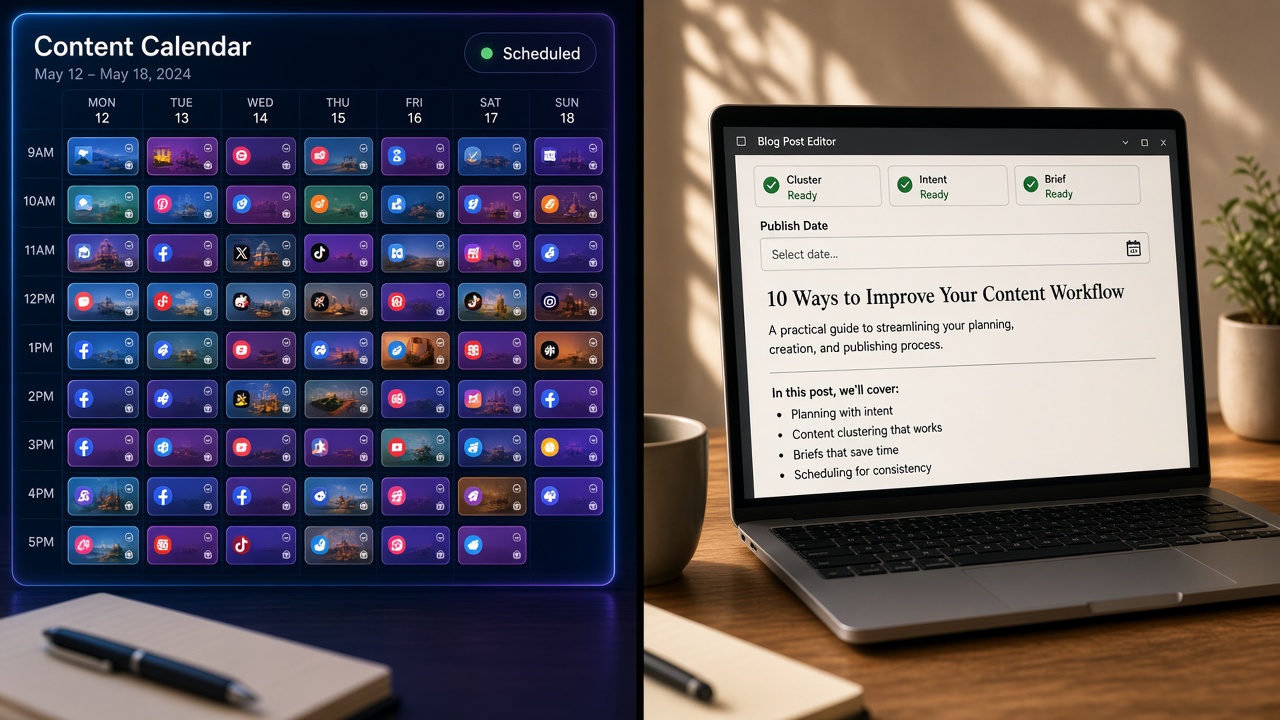
That profile cap is the tell, not a side feature. No: a social calendar is not the same product as an SEO editorial calendar. One schedules network posts. The other tracks whether a URL is ready. They share a date grid and almost nothing else, so a tool sold by how many channels it can post to is not a record of search work.
Some products only schedule social posts. Others move a WordPress date so a draft goes live when you said it would. A roundup that lists both as content calendar software hides that split, and a buyer who wanted the blog to publish on time can walk away with a queue of captions instead.
Ask what the trial actually writes
Do not assume a trial will publish the blog post. Ask whether the tool writes to WordPress or only queues social profiles. If it only queues profiles, the post still leaves through the editor you already use, and the calendar you just connected never touched the URL.
A solo SEO stack that already publishes in WordPress does not need a social suite to see blog dates. It needs a CMS calendar, or the schedule control in the editor itself. A date on a marketing board is not the date the CMS will honor.
If the demo leads with profile counts and channel icons, you are shopping a social scheduler, not an SEO record. Treat that pitch as the wrong job unless the thing that already failed is the social post, not the page.
A Free WordPress Calendar Already Covers the Dates
A free WordPress plugin such as PublishPress Planner can replace the WordPress date view. It cannot replace marketing calendar software, and it cannot replace an SEO brief queue. Its free calendar shows when content is planned and when it is published, and you can drag a post to a new date. That is the publish-date job a sheet never had a native button for.
Paid bundles that include Planner Pro were reported from the maker’s pricing page at $129 a year. That price is a CMS calendar upgrade, not proof a solo stack needs CoSchedule-class coordination.
The one-person stack with no new subscription
- A Google Sheet for SEO fields: cluster home, target query, brief status, refresh debt, and the rest of the record.
- PublishPress Planner’s free plan, or native WordPress scheduling, for dates.
- No social tool until a network post is actually late.
The plugin does not hold cluster homes, brief status, or refresh debt. Those stay in the sheet so a drag-and-drop date cannot pretend the article is ready. Add a paid seat only if this free stack misses a WordPress date, or a social publish you have already defined as in scope.
Free stack first — PublishPress Planner’s free calendar covers planned and published dates; $129 a year is only a CMS upgrade, and a paid seat waits until that free stack misses a date or a social publish already in scope.
Team ROI and Auto-Fill Are the Wrong Proof
A free WordPress date view plus a sheet of SEO fields already covers the breaks a solo stack actually has. Team case studies overstate the return on content calendar software because the gains come from coordinating many people, not from a calendar one publisher was missing.
ON24's CoSchedule results were a 20-person marketing team. Blog output rose from 24 to 112 posts a year, and organic blog traffic rose 1,412%. That is a coordination story. It is not a buy signal for one operator posting a few times a week.
Organized marketers are 674% more likely to report success than their peers.
— CoSchedule 2022 Trend Report on Marketing Strategy
The same 2022 survey ties reported success to organization, to documenting strategy (414% more likely), and to proactive planning (331%)—not to owning calendar software. A sheet with stable status labels can be that organized system. Do not treat those figures as a solo purchase signal.
Auto-fill is the other false proof. Cited 2026 CMI figures separate an 87% productivity gain from a 58% quality gain, while 95% of B2B marketers already use AI tools. A calendar that fills faster is not a calendar that got better.
If scheduling is automated, a human still reviews whether the date should exist at all, plus:
- Query match and search intent
- Cluster fit and brief completeness
- Claims, and the internal link the page must earn
Automation may move a post. It may not decide the post is ready, and a faster empty calendar is not an SEO win.
Wrong proof — Team traffic lifts and auto-filled dates prove coordination and speed, not that a one-person SEO stack needs paid calendar software. A human still decides readiness.
Key Takeaways
Name the one job your sheet or free WordPress calendar has already failed, then ask Flowcrews which single tool—if any—belongs in a one-person SEO stack.
Frequently Asked Questions
You Might Also Like
- Workflows SEO Content Calendar Template for a One-Person Publishing Stack
- Workflows SEO Content Calendar: How Lean Teams Schedule Briefs Without a Bottleneck
- Guides SEO Content Brief Examples for Product, Comparison, and How-To Pages
- Guides How Often Should You Publish SEO Articles? A Cadence That Holds Quality
- Guides Free SEO Content Brief Generator: How to Brief Writers in Minutes