SEO Content Calendar Template for a One-Person Publishing Stack
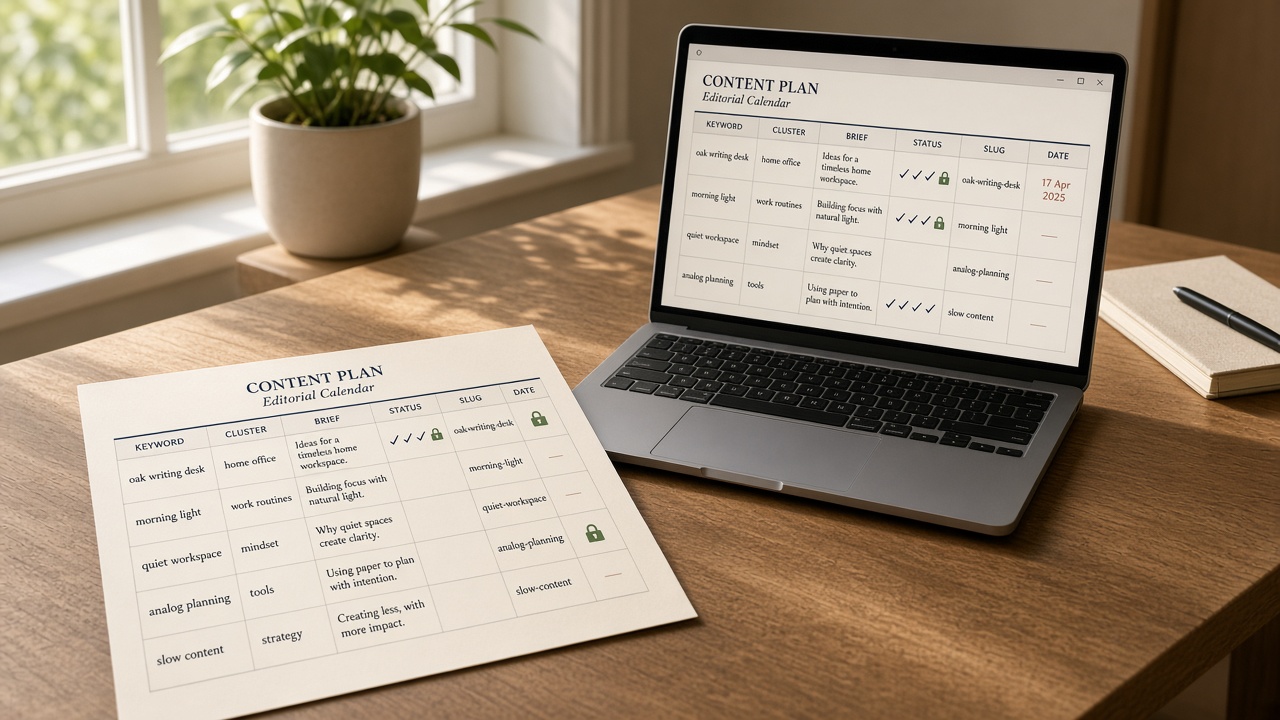
An SEO content calendar template is useful only if a solo operator can run it without a content team. Most sheets fail that test: they copy a monthly quota from companies with writers and editors, then treat an empty date cell as a missed deadline instead of an unfinished row.
This sheet is fail-closed. The publish date or week stays open until the row has a cluster home, a brief link, a named owner, and a human review gate. Pepper Content’s rule is the gate itself: a row cannot enter the calendar with an empty gap column or an empty cluster column, and about a third of the calendar should stay empty so urgent requests do not permanently displace planned work.
Cadence comes from last quarter’s throughput, not from the 2015 HubSpot benchmark of software companies that still gets repeated as “16 posts a month.” A solo founder running content alongside other work can sustain about one quality post a week. Commit specific work about six weeks out and keep the rest of the quarter as a ranked backlog. The sections below specify the columns, the lock rules, and the 15–20 minute weekly review that keep that sheet honest.
- Lock a publish date only after cluster, brief, owner, and a human review gate are filled.
- Plan from real throughput: about one quality post a week for a solo founder, six weeks committed, roughly a third of slots empty.
- Do not copy 11–16 posts a month; that benchmark traces to a 2015 HubSpot study of software companies with content teams.
- Keep refreshes on the same sheet—a common split is 70% new and 30% updates—and add two AI-citation columns instead of a second calendar.
- Run one Google Sheet, review it 15–20 minutes a week, and automate reminders without auto-locking dates or skipping QA.
What columns belong on an SEO content calendar template
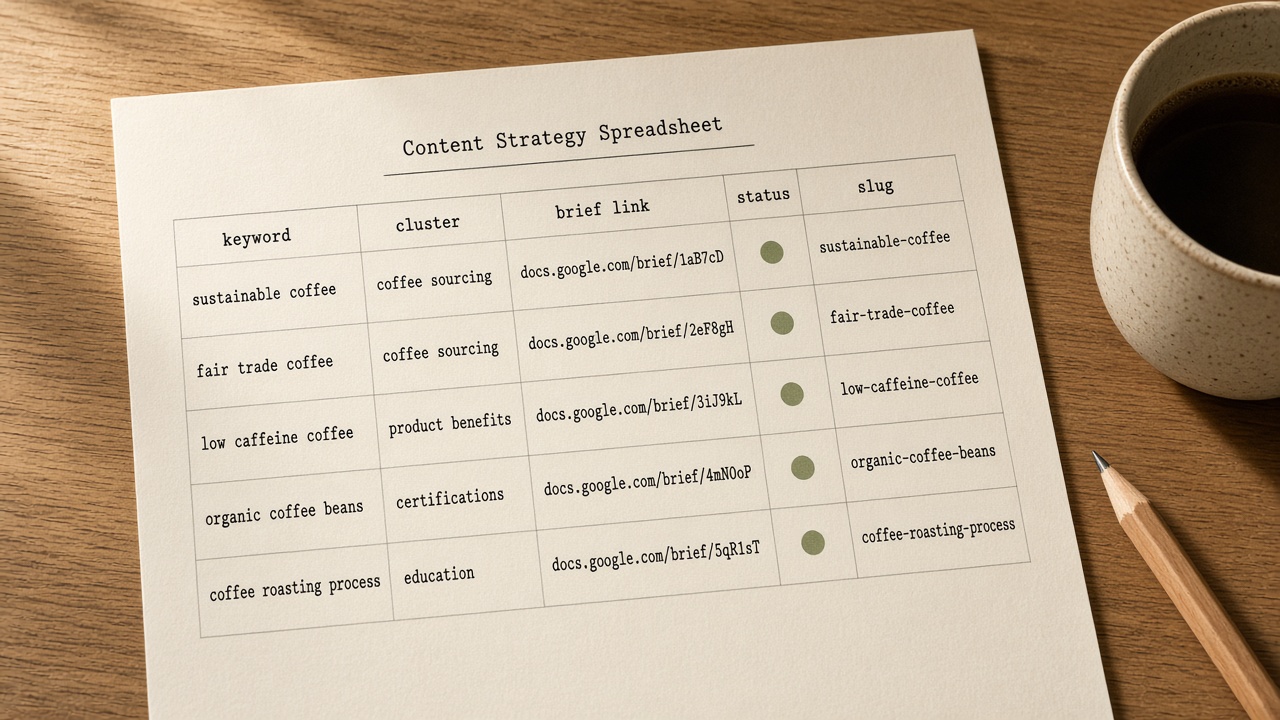
The useful template is one table. Its non-negotiable columns are publish week, working title, primary keyword, cluster or pillar, new versus refresh, brief link, owner, status, slug, and internal-link targets.
Three extras earn a place on that same sheet: search intent, the target URL when a page already exists, and a notes field for holds. Those notes are not a second strategy document.
A social calendar schedules channels and distribution dates. A content plan sets pillars and goals. This sheet is the URL-level queue. In 2025 B2B research of 1,186 marketers, 24% had no dedicated content team, so the columns are built for that operator rather than a multi-writer agency board.
One queue — Ten columns on one sheet turn the calendar into a URL-level queue a solo operator can actually run, without a second plan or an agency board.
When a row is allowed to lock a publish date
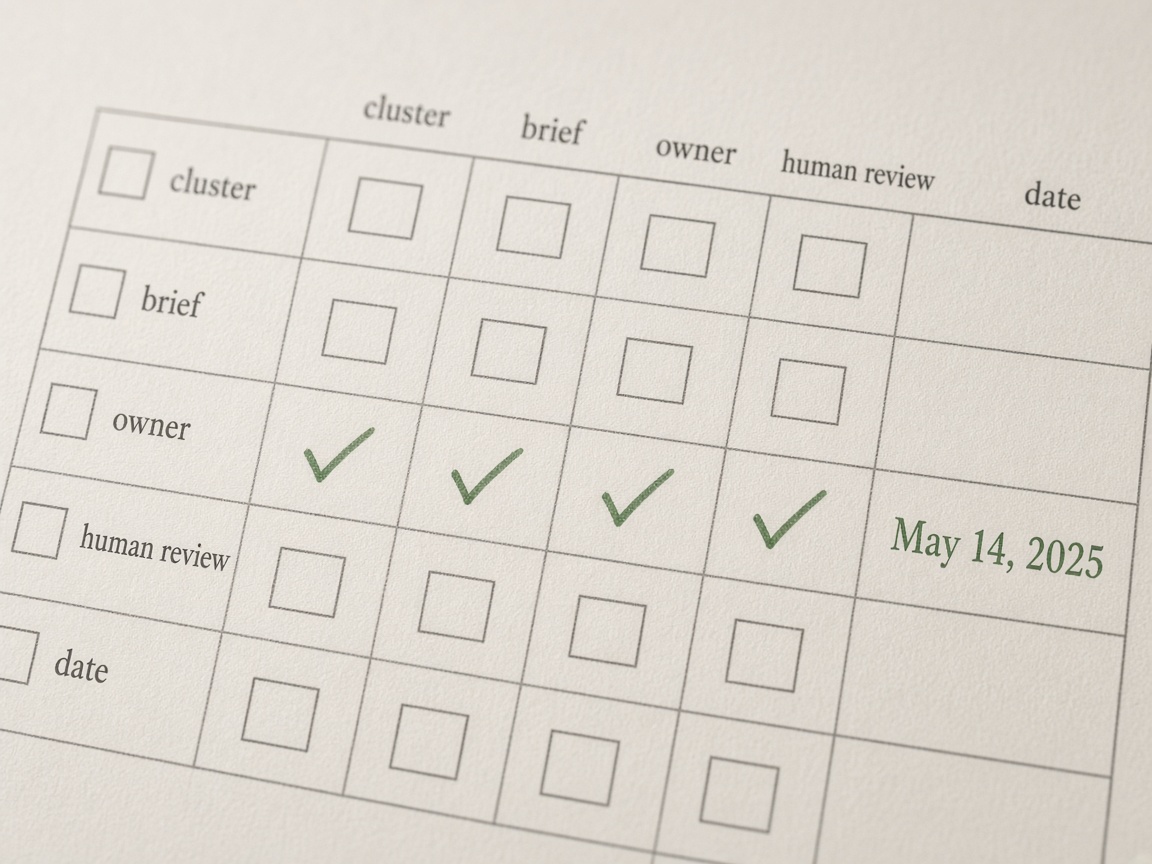
A row may lock a publish date only after four cells are filled: a cluster home, a brief link, a named owner, and a human review gate. An empty gap column or an empty cluster column keeps that row in the backlog. It does not enter the dated calendar.
When you are writer, reviewer, and publisher, run one status path you can actually finish:
- Backlog
- Ready to date
- Drafting
- In review
- Scheduled
- Published
- Refresh hold
In review means you, on a later pass, not a checkbox skipped in the same sitting. Across three SaaS startups, eight posts a week dropped the first-pass accept rate to 68% and left 120 missed internal-link anchors in three weeks. Four posts a week with strict briefs reached a 92% accept rate. The date cell stays blank until the status is Ready to date. This is the row-level gate only; the brief itself stays in its own queue.
Fail closed — Lock the date last. Cluster, brief, owner, and a real later-pass review come first, or the row stays undated.
How far ahead should a solo operator commit dates?
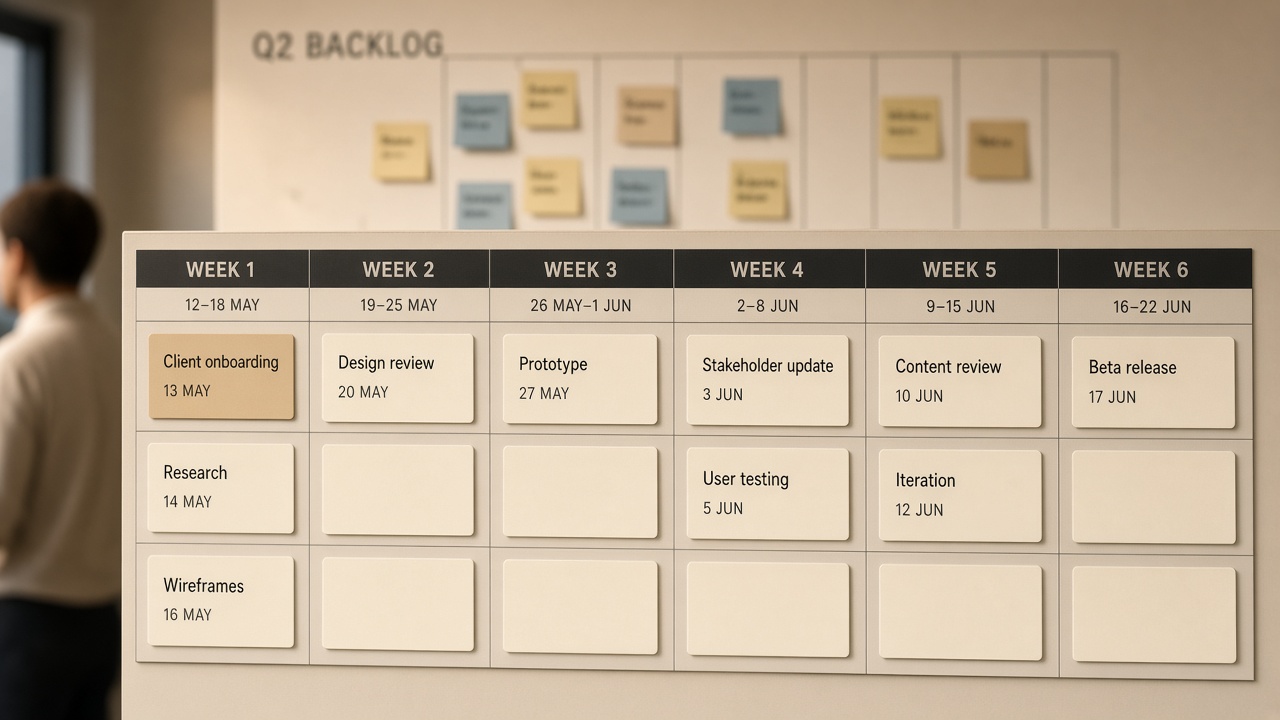
Commit specific work about six weeks out, and keep the rest of the quarter as a ranked backlog. Leave about a third of the slots empty so an urgent request cannot permanently displace the plan.
A solo stack that matches small-team guidance holds one high-quality piece a week, with only two to four weeks of production locked and six to eight weeks of prioritized backlog. The often-cited 16-posts-a-month rule traces to a 2015 HubSpot benchmark of software companies with content teams, not a one-person operator. Cadence math belongs in the lean-teams calendar article; this sheet only dates what you can actually ship.
Score those four points before a backlog row earns a week. The highest score still cannot lock a date if a gate field is empty.
Horizon — Date about six weeks of gated work, score the rest of the quarter, and leave about a third of slots open so urgency cannot rewrite the plan.
How do you reserve refresh slots without deciding every update?
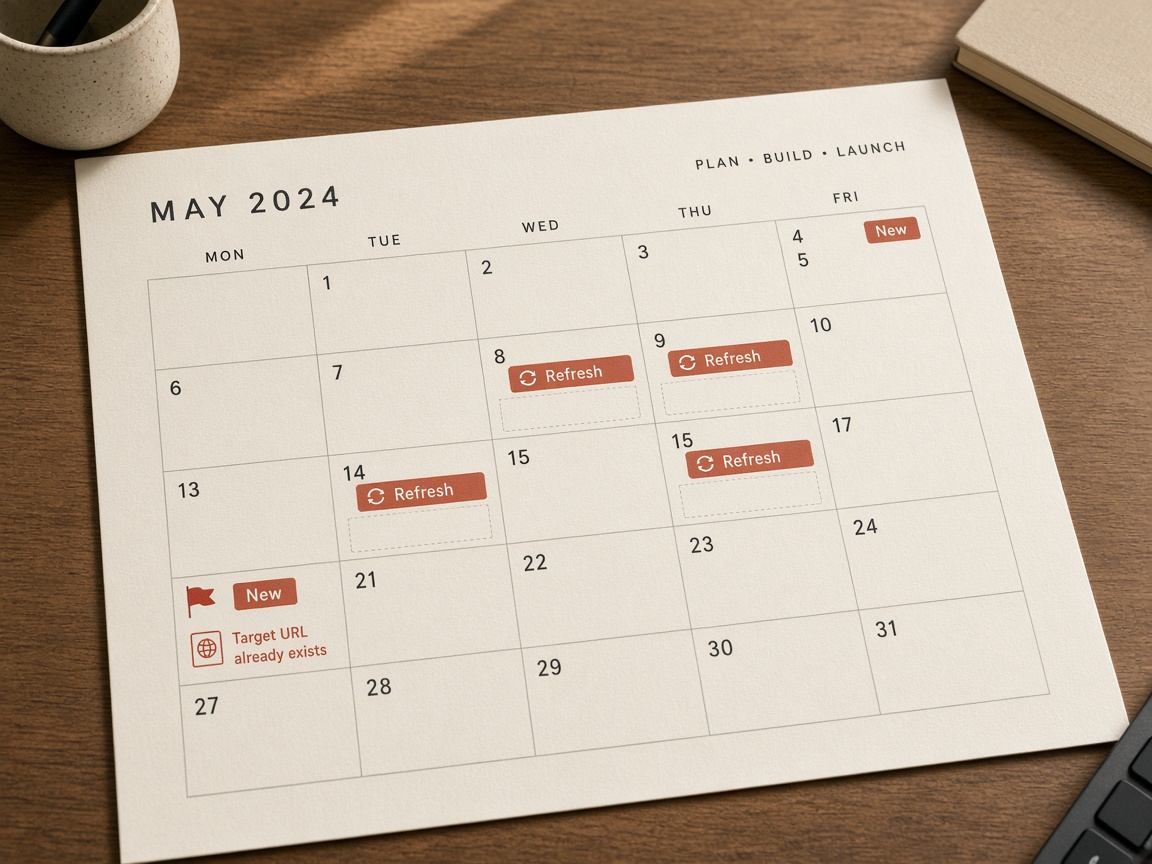
Leave those open weeks typed, not fully planned. Reserve a refresh slot, not a finished update. A common split is about 70% new and 30% updates; large archives may move toward 50/50. This sheet only holds the slot. The update-versus-new call belongs in the refresh workflow.
Pages can lose about 30% of their traffic within 12 months without updates. A page already on page two is usually the fastest win, so record it as a Refresh hold, not a new URL.
Primary keyword, cluster home, intent, target slug or existing URL, and a do-not-publish flag when that URL already exists stop cannibalization and duplicate URLs. If cluster or target URL is blank, the row cannot leave the backlog.
Slot, not plan — Date a refresh type, not a finished update. A blank cluster or target URL keeps the row in the backlog so you never publish a second URL for a page you already have.
What a one-person stack should automate on the calendar
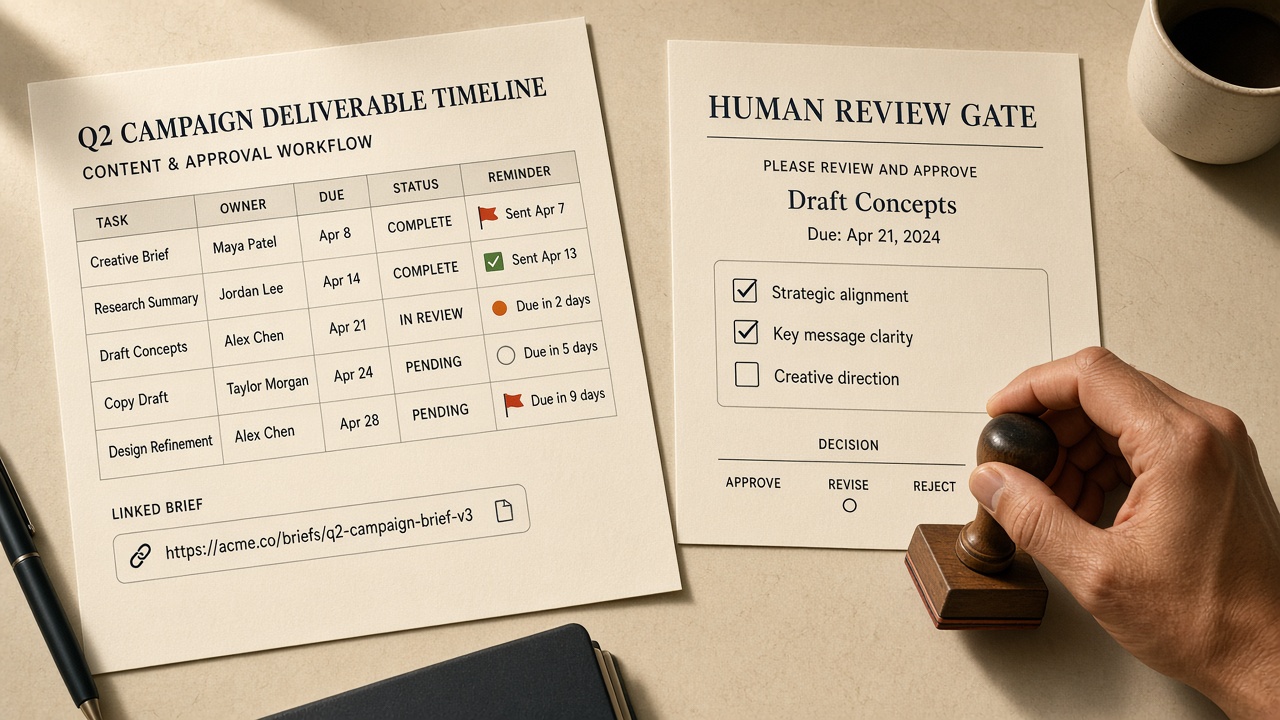
With refresh weeks already reserved as a slot type, the remaining choice is which calendar chores the stack may run. Automate reminders, missing-field flags, slug scaffolds, and status nudges. Keep topic choice, the lock decision, review, and publish approval human.
Refuse to auto-lock dates, auto-publish, or skip QA. The job-by-job automation map and the practical playbook already own those workflows; this sheet only links them. A row with no brief link is not Ready to date, even if the keyword looks strong.
Stay fail-closed — Automate the nagging and the scaffolds. Never automate the lock, the review, or the publish.
Where AI Overview columns fit on the same calendar
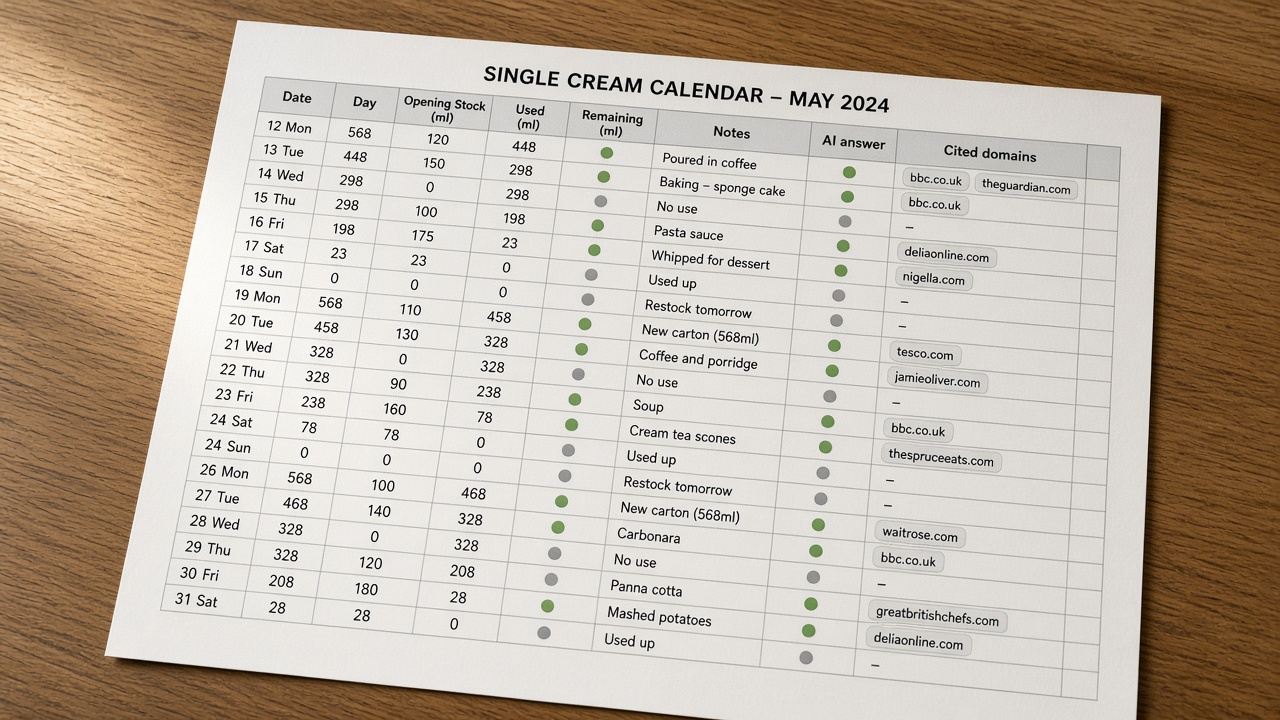
Answer-engine notes stay on this same sheet. Add two columns—whether the query shows an AI answer, and which domains that answer cites—and do not open a second GEO calendar.
Use both as observation, not a publish trigger. Independent researchers measured 21,143 citations across ChatGPT, Google AI Overview, and Perplexity in April 2026; cited pages tended to be longer, more structured, and richer in extractable evidence. Muck Rack’s analysis of more than 25 million cited links found earned media accounted for 84% of AI citations versus 0.3% for paid. Record who is cited, and do not turn the row into a PR plan.
A blank AI column never blocks a date lock. Missing cluster, brief, owner, or review still does.
Same sheet — Log AI answers and cited domains on the existing row as observation only; they never gate a date the way cluster, brief, owner, and review do.
Google Sheets, Notion, or the CMS queue?
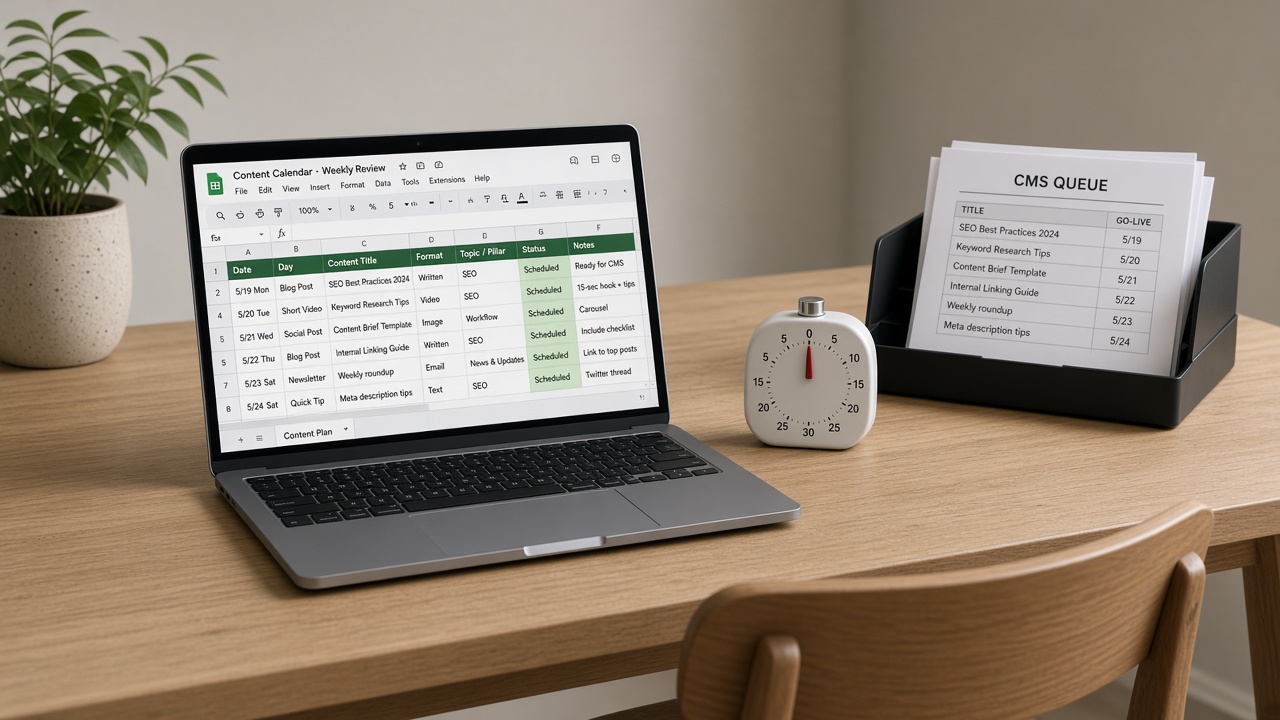
Those AI Overview notes only stay useful on one table you actually open. Use Google Sheets, or one equivalent spreadsheet. For one to three creators, that sheet can run a 20–30 post pipeline if someone spends 15–20 minutes a week updating it.
Notion is fine only if it stays one table, not a stack of linked databases. The CMS queue is the publish destination after a date locks. It is not the planning calendar.
That same 15–20 minutes is the weekly ritual that keeps the sheet off the shelf: advance only rows that pass the lock rule, protect empty slots, and move finished URLs to measurement—not a replanning session. HubSpot’s 2025 State of Blogging survey found 50% of marketers at companies that blog saw higher blogging ROI in 2024 than in 2023. The ritual protects that work. It does not justify more posts.
One table — Run the calendar in Google Sheets or one equivalent table, and spend 15–20 minutes a week advancing only rows that already pass the lock rule.
What a filled one-person month looks like — and where each row links
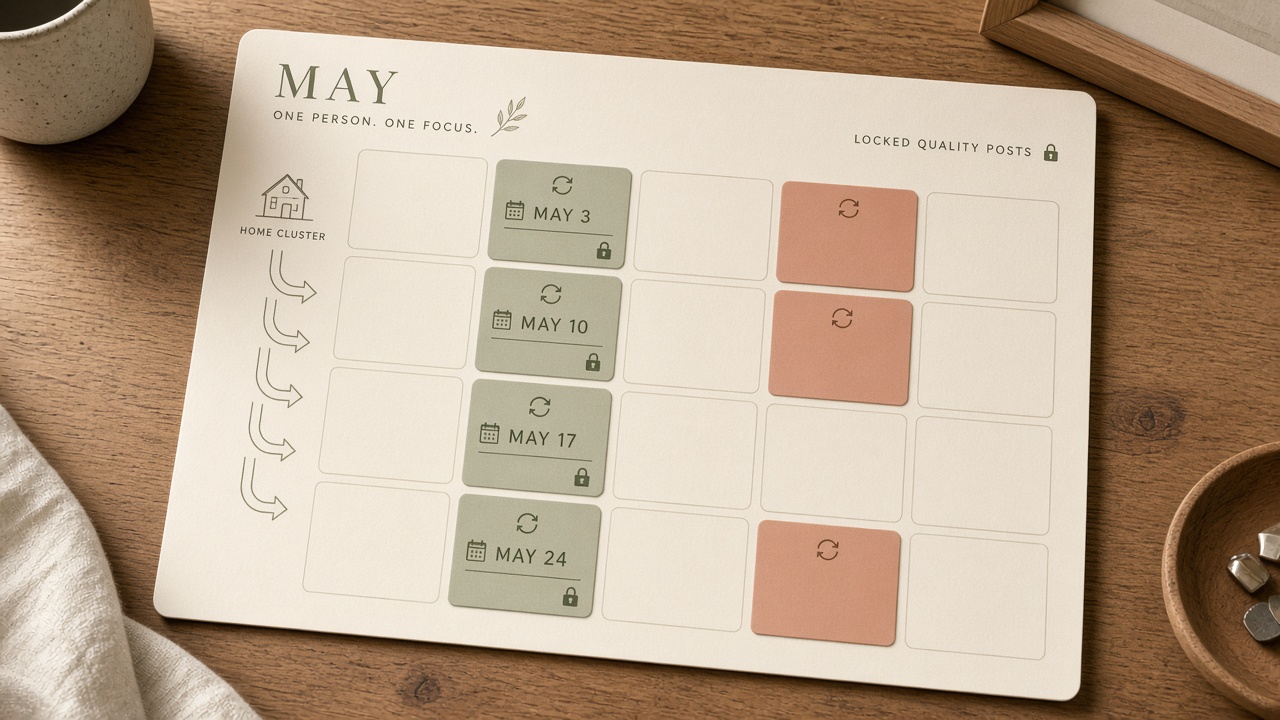
That weekly pass is what keeps a month honest. A sustainable solo month is about one quality post a week: a few rows already allowed to lock a date, typed refresh holds, and roughly a third of the slots left open. A writer-plus-editor pair can hold two to three; do not copy that pace alone.
Treat volume benchmarks as warnings, not targets. Widely repeated claims — 16 or more posts a month yielding 4.5 times more leads, 9 or more posts tied to a 35.8% yearly traffic lift, and an 8–16 posts-a-month band growing traffic 187% and earning 4.7 times more LLM mentions — describe other operators. HubSpot’s blog still fell from 13.5 million to 2.8 million monthly visits, an 81% drop, despite 150-plus posts a month. Slowing three SaaS startups from 8 posts a week to 4 raised 14-day p90 indexation from 62% to 83% and cut rewrites by 31%.
Each dated row should link out to the cluster map, the workflow, and a measurement check instead of restating them. A cluster elsewhere may be one pillar plus 8–15 supporting articles; that quota lives on the cluster-map template, not as a fill target on this sheet. Use the topic cluster map and the lean-teams calendar article for those rules, and stop there.
Key Takeaways
Copy the column set into one Google Sheet, leave every date blank until the gates are filled, and spend 15–20 minutes this week advancing only the rows that already earned a date.