Best Internal Linking Tools for Content Sites (Compared)

Internal linking is still one of the few SEO levers a content site fully controls. Crawlable <a href> links with descriptive anchors are the ones that count; JavaScript-only or unlinked URLs do not replace that. Tools help you find those links at scale, but they do not replace judgment about which pages should pass authority and which should stay isolated. Lean teams lose time when they shop by feature count instead of job. One stack suggests in-editor links. Another bulk-inserts from a crawl. A third maps the graph so you can see orphan spokes. Programmatic templates need a different pattern again: default spoke-to-pillar links, then a human gate before anything touches money or comparison URLs. This guide compares Link Whisper, Surfer, Semrush, Ahrefs, and Screaming Frog on CMS fit, suggestion quality, bulk actions, and false-positive risk—so you match the tool to the job and keep automation where it belongs.
- Choose the tool by job (suggestions, bulk insert, crawl graph, programmatic templates), not by longest feature list.
- Google still requires crawlable HTML links with descriptive anchor text; JS-only links do not count as a substitute.
- Automate candidate discovery and default spoke-to-pillar links; human-review money, comparison, and thin programmatic pages.
- Vendor ranking stories after bulk linking are directional, not a guarantee for your site.
- Internal links are a controllable crawl-and-context lever, separate from the referring-domain pattern seen in large-scale ranking studies.
Pick the Tool by the Job It Has to Finish
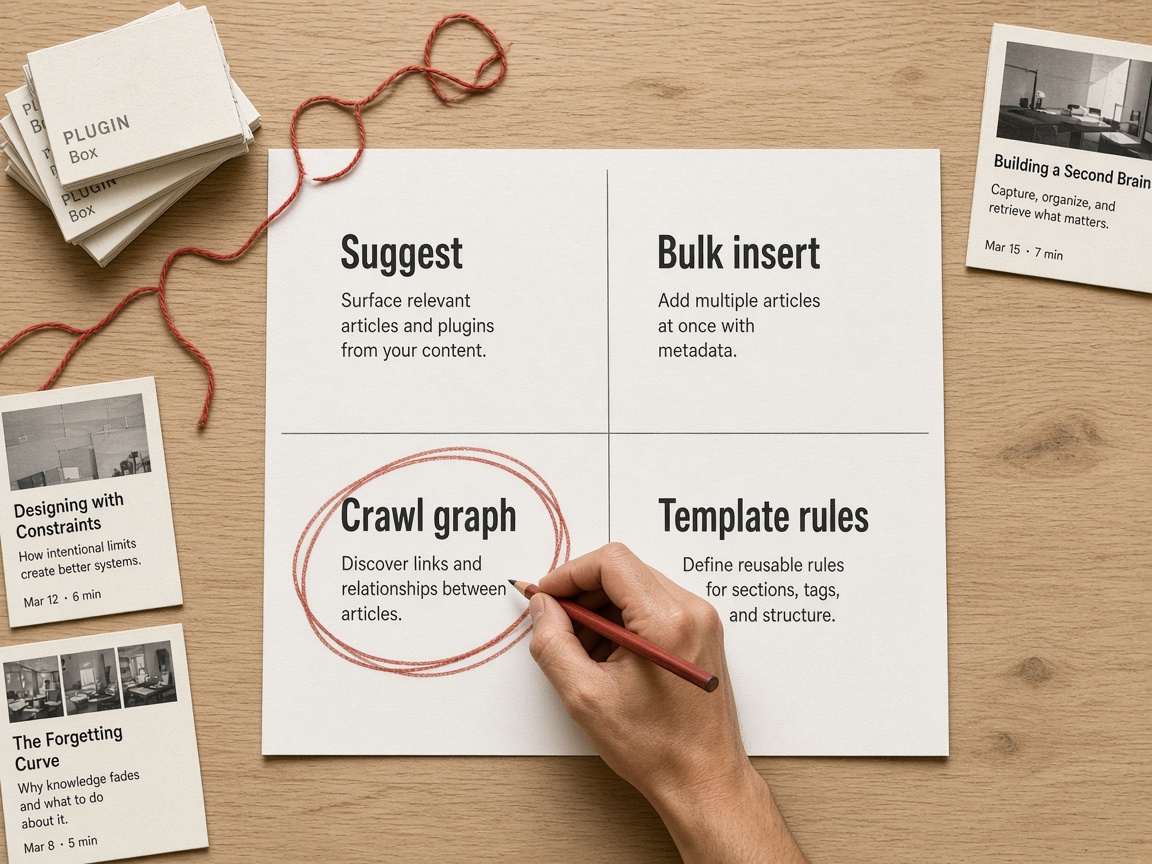
That choice gets easier when you stop shopping for the longest feature list and start matching the product to one unfinished job. The rest of this section is a buying filter: if the tool cannot complete that job inside your CMS, it is research, not an internal linking stack.
Buy the job, not the checklist
Content sites need default spoke-to-pillar candidates at publishing speed. A research suite that only exports opportunity lists still leaves an execution gap: someone has to open each URL, pick an anchor, and save. If your volume is a blog calendar or a pSEO template farm, that gap is the whole problem. Score CMS fit first. A WordPress plugin that writes into the post body is a different machine from a cloud crawler that never touches live templates. A tool that cannot insert links where your pages actually render will not scale a content site, no matter how pretty the opportunity report looks.
- In-content suggestions while a draft is open
- Bulk insert into already-published posts
- Crawl and graph diagnosis for orphans and depth
- Rules inside programmatic templates so new URLs inherit links
If you already picked a vendor, do not re-litigate logos here. Use an internal-linking automation playbook for rules, review queues, and how the stack writes into your CMS so the job you bought actually lands in published HTML.
Job first — Match the product to suggestions, bulk insert, crawl diagnosis, or template rules—and require it to write into your live CMS—or you will still be pasting links by hand.
Score five tools on the job, not the feature list
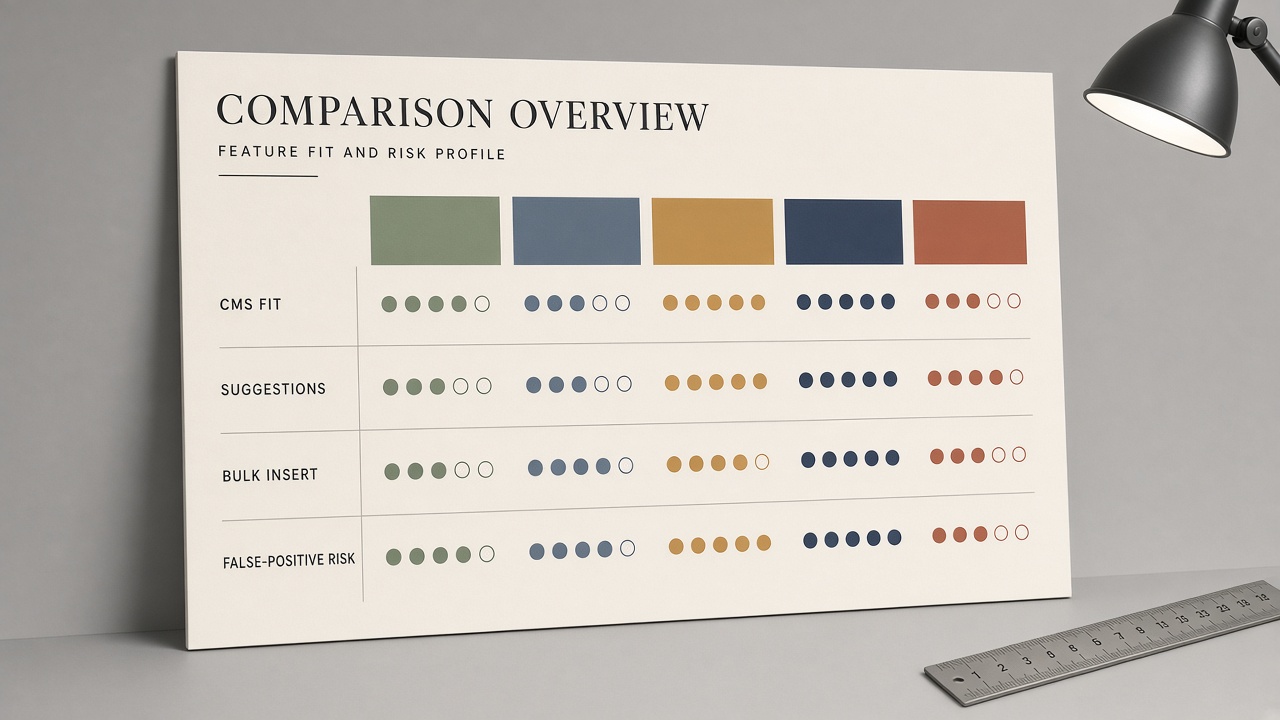
What remains is matching each product to one of those jobs—WordPress-native suggestion and insert, on-page briefs with link hints, opportunity and orphan reports, or a full crawl graph—without treating a long feature list as a ranking. For content sites the four axes that actually decide the purchase are CMS write-fit, suggestion quality, bulk actions, and how often the tool will try to stitch money, comparison, or thin programmatic URLs together.
Link Whisper owns the WordPress-native path: it lives in the editor, proposes in-content links, and can insert them without a separate export. Vendor ranking anecdotes around “add more internal links and pages move” are directional at best; they do not replace a human pass on commercial URLs, where a wrong spoke-to-spoke or thin-to-money link is expensive. Surfer is strongest when internal-link suggestions sit next to the on-page brief you are already writing. It is not a sitewide graph tool and rarely owns bulk insert across a large archive.
Semrush and Ahrefs excel at opportunity reports, orphan detection, and—especially for Ahrefs—tying internal context to a broader ranking picture. Operators still need a writer or a CMS plugin to place crawlable links; the report is not the insert. Screaming Frog owns the crawl graph: inlinks and outlinks, orphans, redirect chains, and anchor audits. It diagnoses; it does not productize publishing. False-positive risk is highest wherever a tool auto-pairs commercial or generated URLs without a review queue.
Who owns which axis
- CMS fit: Link Whisper on WordPress; Surfer beside the brief; Semrush, Ahrefs, and Screaming Frog sit outside the editor.
- Suggestion quality: in-content and contextual for Link Whisper and Surfer; report-driven for Semrush and Ahrefs; graph-driven for Screaming Frog.
- Bulk actions: Link Whisper can insert at scale in WordPress; the others mostly export or diagnose.
- False-positive risk on money and programmatic URLs: highest for any auto-insert without a human gate; lowest when the tool only proposes and the CMS never writes until review.
Pick the owner of the job you still cannot finish by hand. Do not buy a crawl graph hoping it will write posts, and do not buy an editor plugin hoping it will map redirect chains.
Job over suite — Link Whisper inserts in WordPress, Surfer suggests beside briefs, Semrush and Ahrefs report opportunities, Screaming Frog maps the graph—none of them should auto-place links on money, comparison, or thin programmatic URLs without a human.
What must stay crawlable—and what you never auto-insert
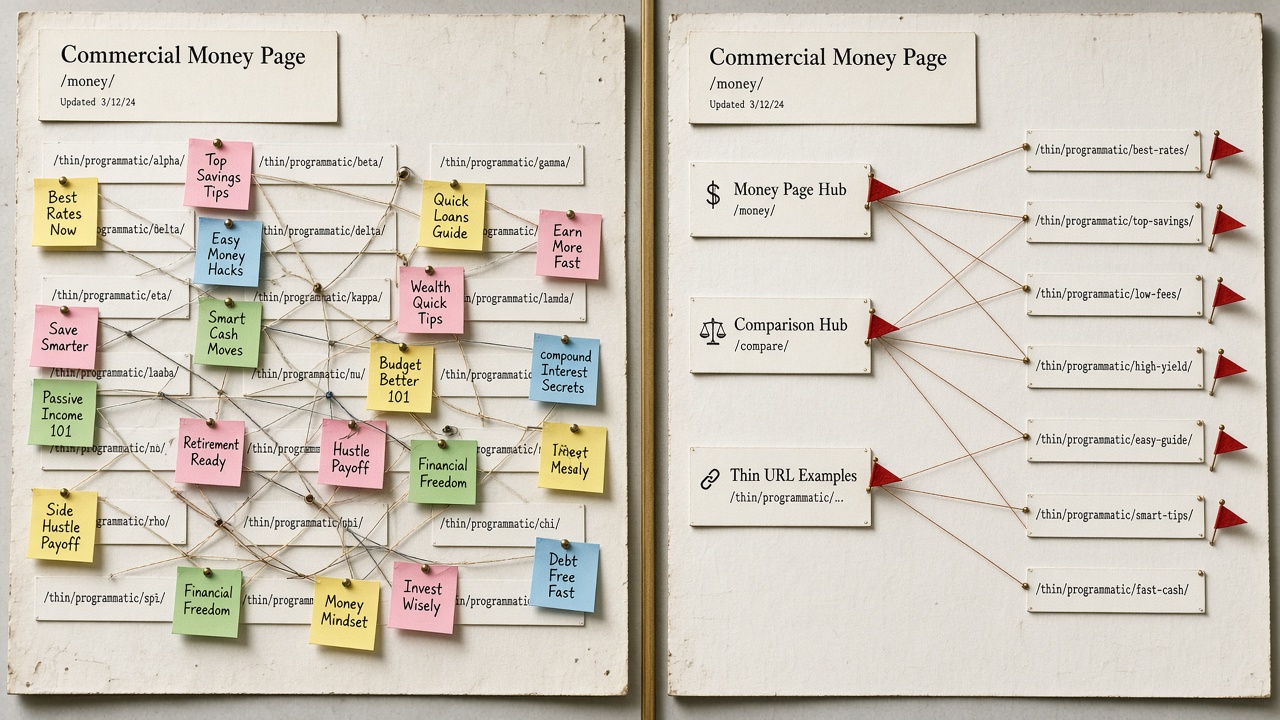
Whatever you pick after that comparison, score the output as published HTML, not as a suggestion in a sidebar. If a product only injects non-crawlable chrome—widgets, JS-only clicks, or unlinked strings—it fails the job no matter how clever the suggestions look.
Keep the lever straight, too. Internal links are the crawl-and-context path you control on your own site. They are not a stand-in for referring-domain research, which is about external authority. A graph or opportunity report can show orphans and unused hubs; it does not replace placing links that bots and readers can actually follow.
Automate discovery; gate the money pages
False-positive “related” matches on commercial, comparison, and thin programmatic URLs are where auto-insert burns equity or cannibalizes intent. Cluster-led sites still need the tool to emit bidirectional, crawlable links that match the pillar/spoke map—the map itself belongs in a topic-cluster guide, not in the plugin settings. For the policy split of what to automate versus review, use the companion piece; here the implication is simpler: if the product cannot refuse thin URLs or cannot write crawlable HTML, it is not the closer.
Buy for the job — Choose the tool that finishes crawlable inserts for the job you actually have, then keep humans on money, comparison, and thin URLs so automation never publishes a bad link at scale.
Key Takeaways
Map your next cluster to one job, pick the matching tool, and keep humans on the URLs that actually move revenue.
Frequently Asked Questions
You Might Also Like
- Automation Internal Linking Tool: What to Automate vs What to Review
- Automation Internal Linking Automation: How to Scale Links Without Manual Work
- Strategy Topic Cluster Content Strategy: Pillars, Spokes, and Internal Links
- Comparisons Best SEO Automation Tools in 2026 (Compared by Job-to-Be-Done)
- Guides Programmatic SEO Tools: What You Actually Need to Launch