Programmatic SEO Tools: What You Actually Need to Launch

Teams hunting for programmatic SEO tools are rarely looking for another all-in-one dashboard. They need a minimum viable stack that turns structured demand into pages search engines still treat as useful: unique enough to rank, fast enough for a lean team to ship, and substantial enough to stay out of thin-content and doorway territory.
Vendors sell platforms as if keyword research, templating, generation, publishing, and quality live in one product. In practice, programmatic SEO fails when templates outrun data depth, original copy, schema, and UX. Tools only earn their place when they fill a clear job and let you block weak URLs before they go live.
This guide maps what you actually need to launch: which jobs to fill first, where sheets plus a CMS plus automation is enough, when custom or headless wins at scale, and how to judge tools by quality gates, CMS fit, and citation readiness—not feature count.
- Programmatic SEO tools map to jobs—data pipelines, templating, enrichment, quality, publishing, internal linking—not one magic platform.
- The launch bar is unique value per URL: data depth, original copy, schema, and UX that a cloned template cannot fake.
- No-code and low-code stacks can ship an MVP; custom or headless stacks usually win once volume and freshness grow.
- Thin and doorway pages remain the main failure mode, so quality gates belong in the stack, not as an afterthought.
- Judge vendors by job-to-be-done, CMS fit, and citation readiness rather than by how many features sit on a pricing page.
Map the Jobs Before You Pick a Tool
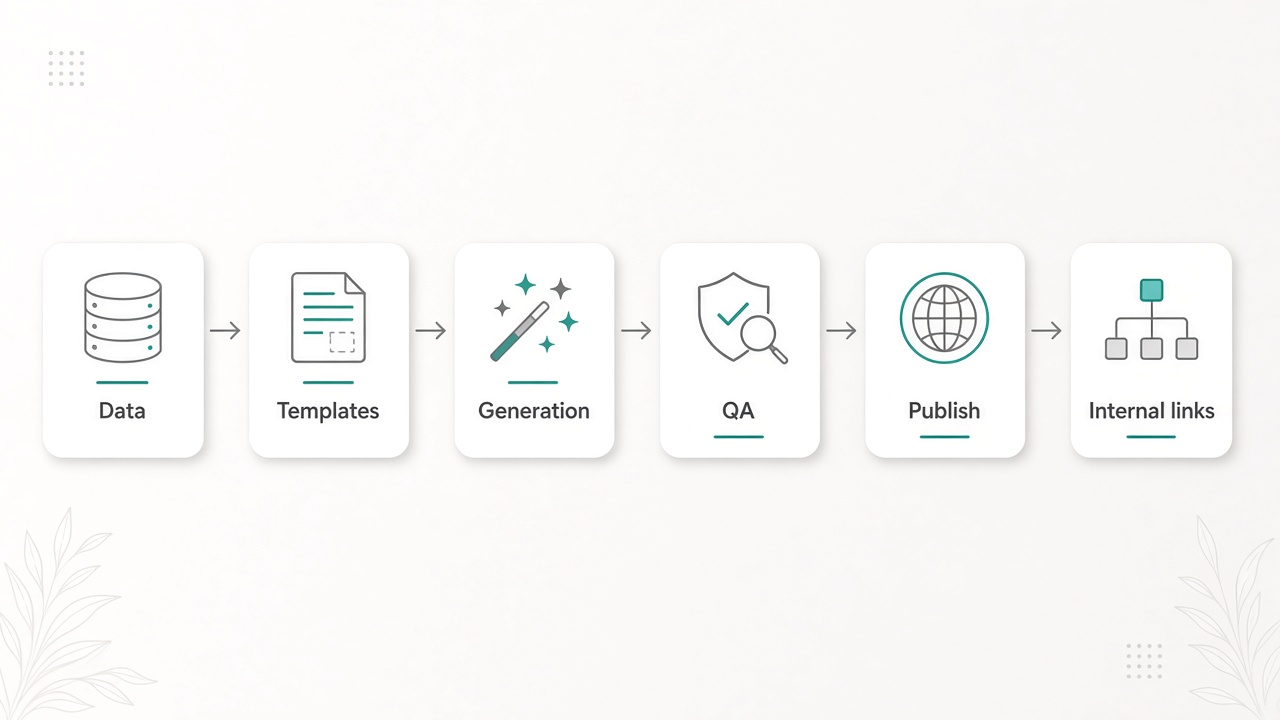
That means treating the work as a pipeline of jobs, not a hunt for one magic product. Assign a tool to each job so every URL can carry unique value instead of shipping doorway pages.
The six jobs in the pipeline
- Source and cluster data so each page maps to a real entity and attributes.
- Template pages so layout, fields, and UX stay consistent at scale.
- Generate or enrich copy from that data rather than generic filler.
- Enforce uniqueness and quality before anything goes live.
- Bulk-publish into a CMS that can hold the volume.
- Wire internal links so new URLs are crawlable and connected.
Clarify which job each tool owns before you subscribe. Overlapping AI writers fight over the same fields. An orphan CMS plugin that cannot ingest your data leaves you copy-pasting. A stack with no quality layer publishes thin pages. Copy should enrich unique data; it should not invent filler.
Secondary needs belong on the same map: schema search engines can parse, AEO-ready structure so answers can be cited, and a CMS that can bulk-ingest URLs without breaking templates. Later sections will judge tools against those launch criteria, not feature count.
Job map first — You launch programmatic SEO by assigning tools to data, templates, unique enrichment, quality gates, publishing, and internal links—not by buying one platform that mass-produces thin pages.
The Lean Stack You Need to Launch
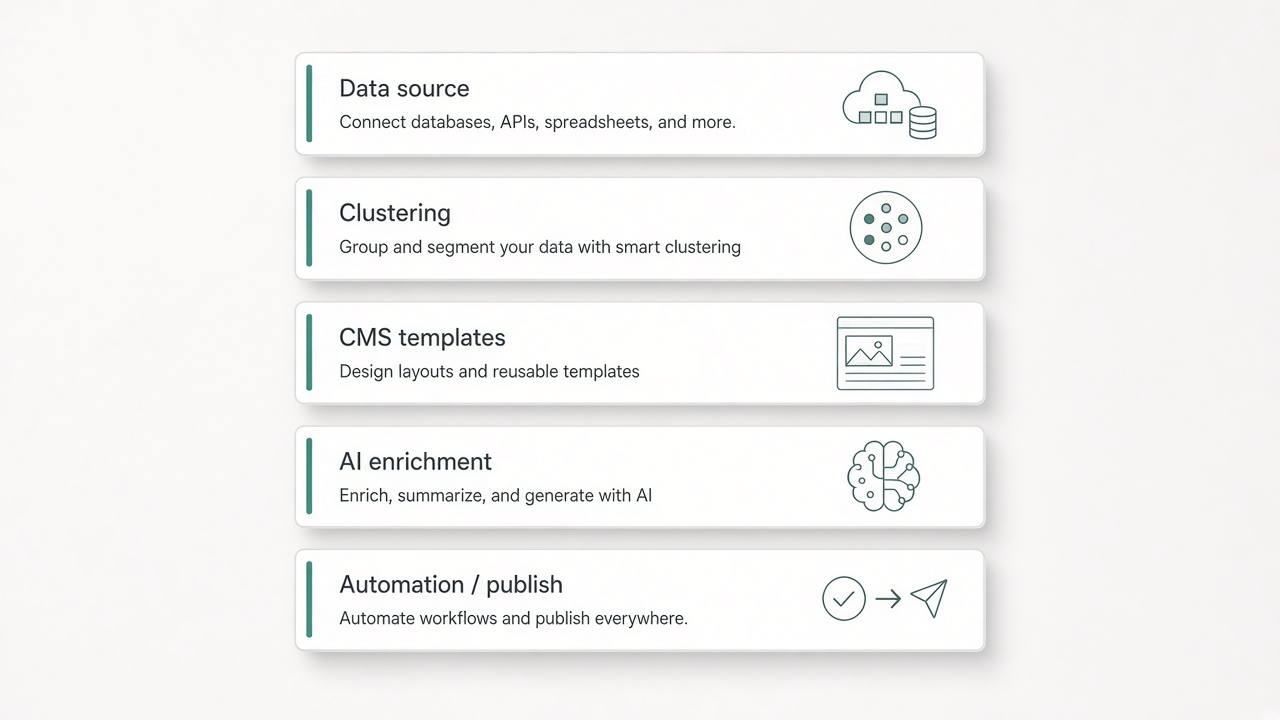
With the jobs mapped, you stop hunting for one platform and assemble the smallest stack that can feed structured records into templates, add unique value, and ship URLs.
Lean launch looks like Sheets, Airtable, or a simple database; a clustering or intent map; reusable templates in your current CMS; optional AI behind a human brief; and automation for publish and internal links. Enterprise crawlers and custom headless builds are later-scale tools, not a prerequisite to go live.
Put each layer on one job
Shop by outcome, not feature lists. Data for clean entities, CMS for templates and schema fit, constrained enrichment for unique on-brand copy, automation for bulk publish and links. Overlapping tools and skipped uniqueness are how thin pages happen.
Minimum stack — Launch with data, templates, constrained enrichment, and publish-plus-links automation in tools you already trust. Save crawlers and headless architecture for after unique pages are live.
Quality Gates That Stop Thin Pages Before They Go Live
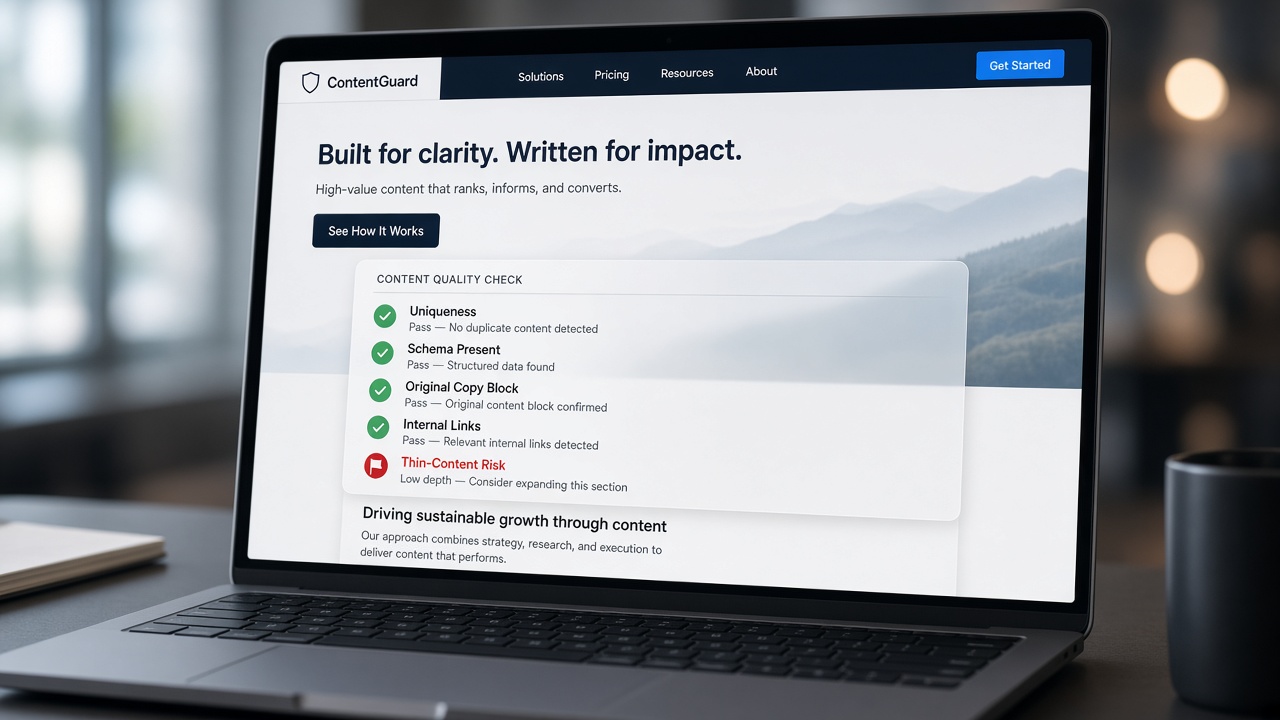
That job-first filter only works if quality is treated as a job of its own. Thin content and doorway-style templates—the same intro, a swapped city or product name, a skeleton body—are still the main way programmatic launches fail. A tool that only interpolates variables is not adding unique value per URL. Depth in the source data, original blocks that could not be copied from a sibling page, schema that names the real entities, and a layout someone would actually use are what separate a useful page from a mass-produced shell.
Before bulk go-live, the stack should be able to catch the patterns that make those pages unrankable and unciteable.
- Duplicate or near-identical intros and bodies across the set
- Thin copy with no proprietary or distinctive data behind it
- Missing entities, FAQs, or structured answers that answer engines can cite
Prefer tools that can refuse to publish until a brief is met, a uniqueness check passes, or a human has sampled pages. Automation should wait on that gate, not race past it. Without it, the rest of the lean stack just scales the same problem.
Gate first — A tool belongs in the launch stack only if it can block thin, near-duplicate URLs—unique value per page is the requirement, not a later polish.
No-code launch or custom stack: how to choose
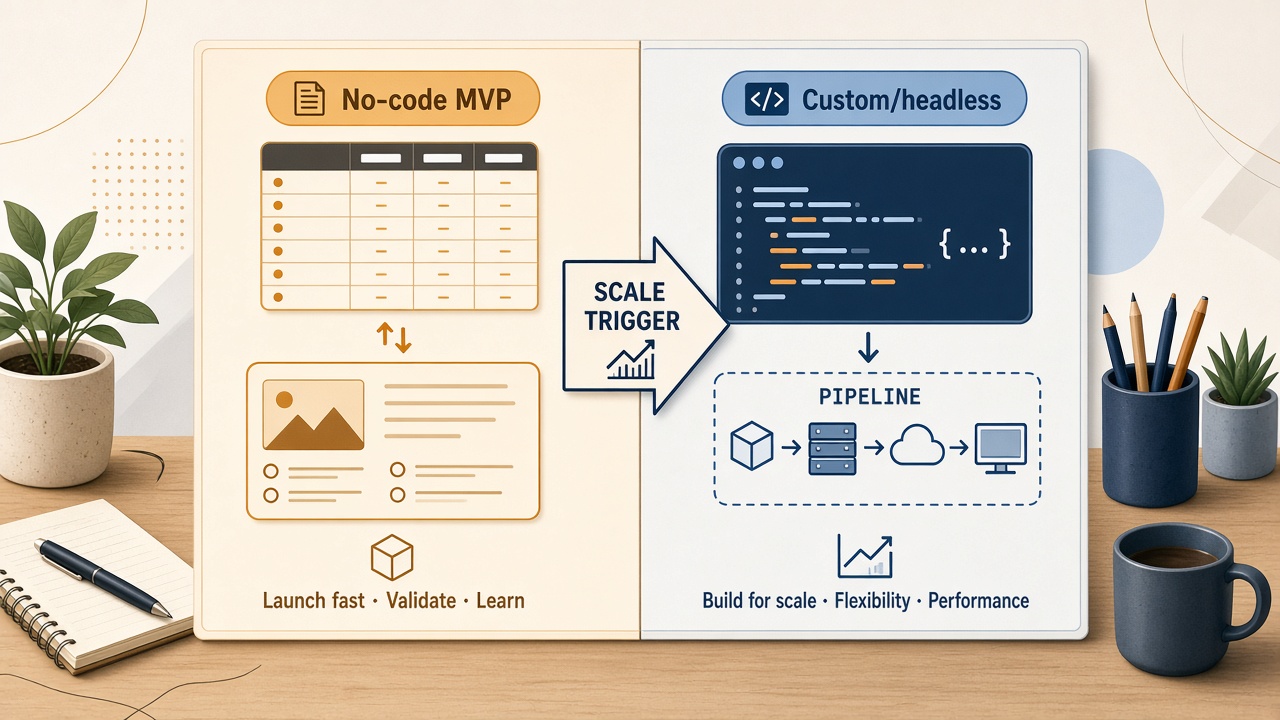
Those uniqueness gates also settle build versus buy. If distinctive data, original blocks, and sample review can run on structured rows before a template publishes, you do not need a custom renderer on day one. No-code and low-code—Sheets or Airtable, templates in the CMS you already use, optional AI under a human brief, and Zapier- or Make-style automation for publish and internal links—get an MVP live while every job still has an owner.
Glue tools start to fail when nested entities, frequent refreshes, or bulk CMS limits drop rows or skip checks. Custom data layers and headless templates earn their keep at that point—not as a launch requirement. Decide with five constraints: expected page volume, how often source data changes, whether you have engineering access, what your CMS will accept in bulk, and how strict uniqueness must be before a URL goes live. Ignore vendor-skewed “best tools” lists. Score by which jobs a product actually owns, whether it can enforce the gates you already defined, and whether it fits the stack you ship from.
Build vs. buy — Launch with no-code glue if it covers the jobs and uniqueness gates; move to custom or headless only when volume, data complexity, or performance outgrow it.
The launch sequence—and when to kill it
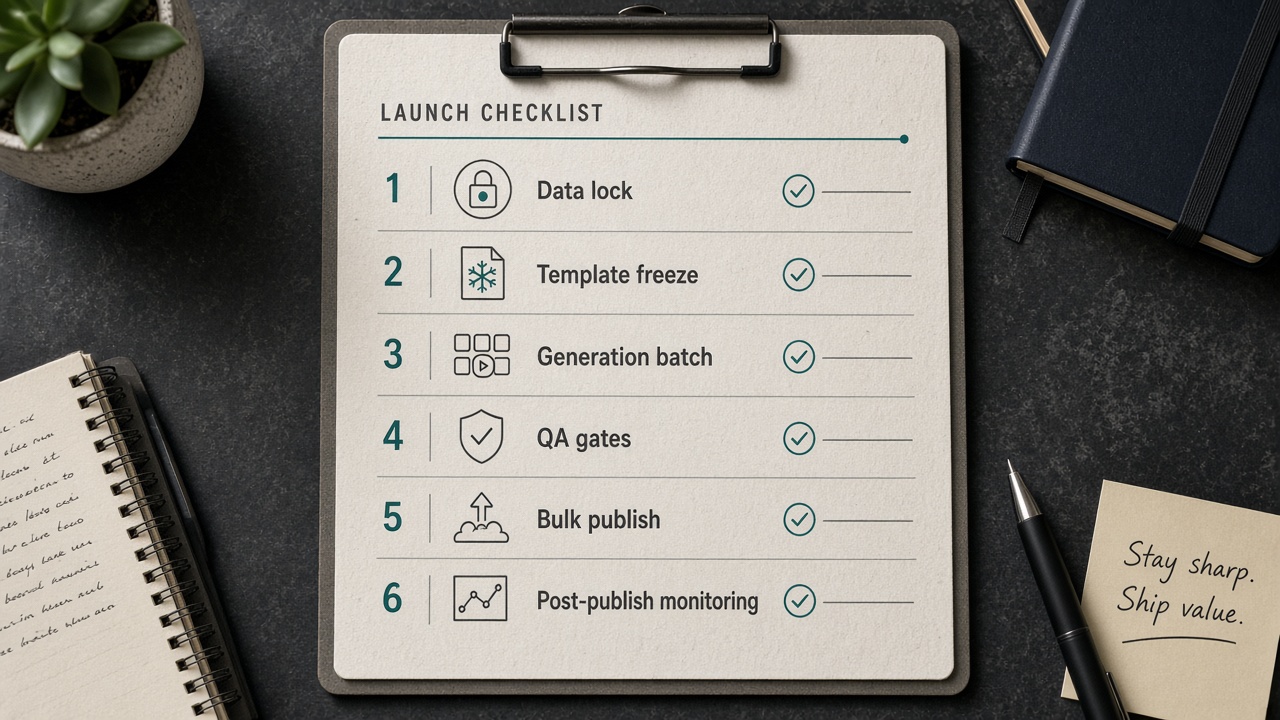
Scoring a stack is not shipping it. Once tools own their jobs and gates, launch is a sequence you can pause—especially at the sample stage, before volume multiplies a thin pattern.
- Lock entity data and intent clusters so every URL has a defined job and distinctive facts.
- Write the template and brief rules together: required fields, original blocks, schema, uniqueness bar.
- Generate a small sample—not the catalog.
- Run uniqueness and AEO checks (duplicate intros, near-identical bodies, thin copy, missing entities or FAQs).
- Bulk publish, then add internal links.
- Monitor indexation and engagement.
Thin samples and weak differentiation are kill criteria: pause scale, fix the data or the brief, and do not bulk-publish doorway risk. Pair this pipeline with clustering, automation, and thin-content playbooks already in use so programmatic pages inherit strategy instead of inventing a parallel one.
Kill criteria — If the sample is thin or undifferentiated, stop. You launch programmatic SEO on unique URLs, not on how fast you can publish.
Key Takeaways
Map the six jobs against the stack you already have, generate a uniqueness-gated sample, and only scale the URLs that already look like real pages.
Frequently Asked Questions
You Might Also Like
- Automation Programmatic SEO: How to Scale Pages Without Thin Content
- Comparisons Best SEO Automation Tools in 2026 (Compared by Job-to-Be-Done)
- Guides What Is Programmatic SEO? Definition, Examples, and Risks
- Automation SEO Automation: Tools, Workflows, and What to Automate First
- Strategy Keyword Clustering: How to Group Keywords into Rankable Topics