Long-Tail Keyword Research: A Practical Workflow for Briefs
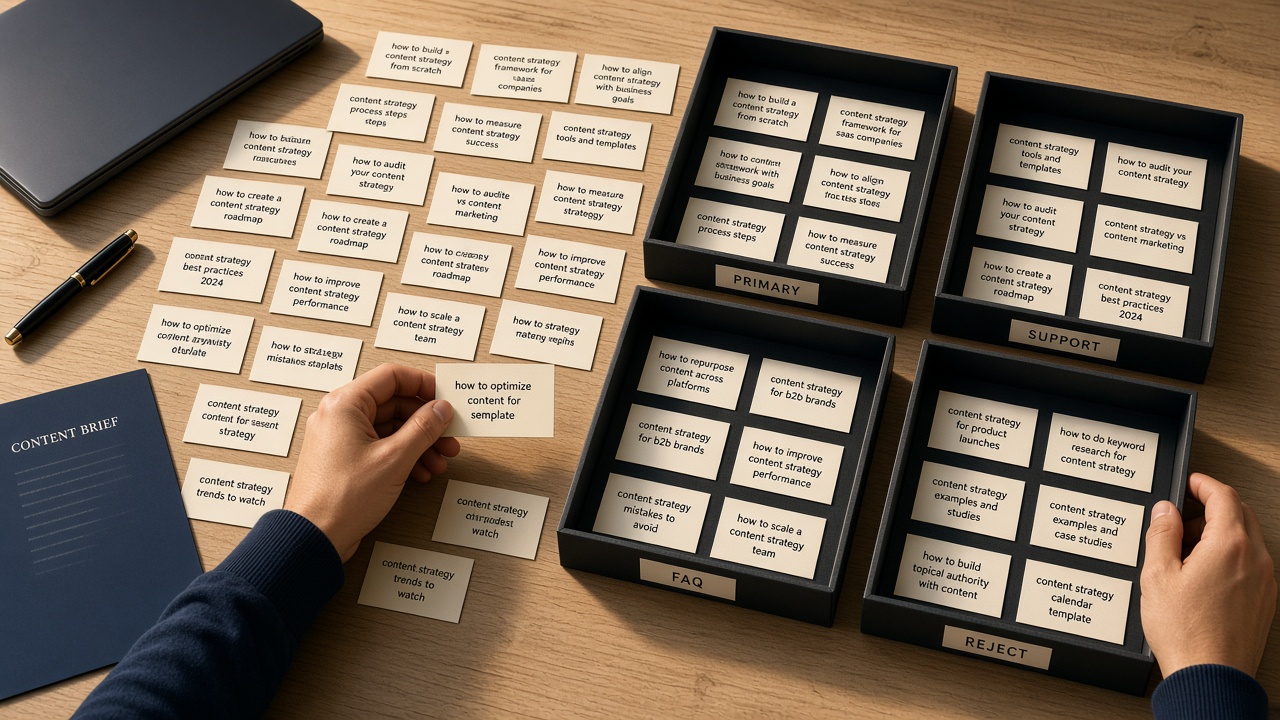
Long-tail lists fail in production for a simple reason: they arrive as a pile of similar phrases with no job. A writer facing near-duplicate phrases either stuffs them into one thin page or ignores most of them. The fix is not more tools. It is a brief-first workflow that treats every candidate as something you either use in a defined field or throw out. This article walks that workflow in order: give each term a role, collision-test it against the SERP, map modifiers into brief fields, pack support terms so they do not compete, lock intent, then hand off a brief a human (or an assistant) can actually write from. The goal is evergreen and operational—so whenever you open it, you can run the same steps on a new cluster. If you came here to understand long-tail keyword research in the context of briefs, clustering, and content scaling, start with roles. Everything else—SERP checks, modifiers, packing, intent, handoff—exists to keep those roles honest.
- Assign every long-tail a brief job: primary, support, FAQ, or reject—never a dump.
- Collision-test queries against the live SERP before you lock a primary.
- Map modifiers into named brief fields so writers know where each phrase belongs.
- Pack support terms so they reinforce the primary instead of competing with it.
- Lock intent and hand off structured fields, not a spreadsheet of leftovers.
Treat every long-tail as a brief job, not a new URL
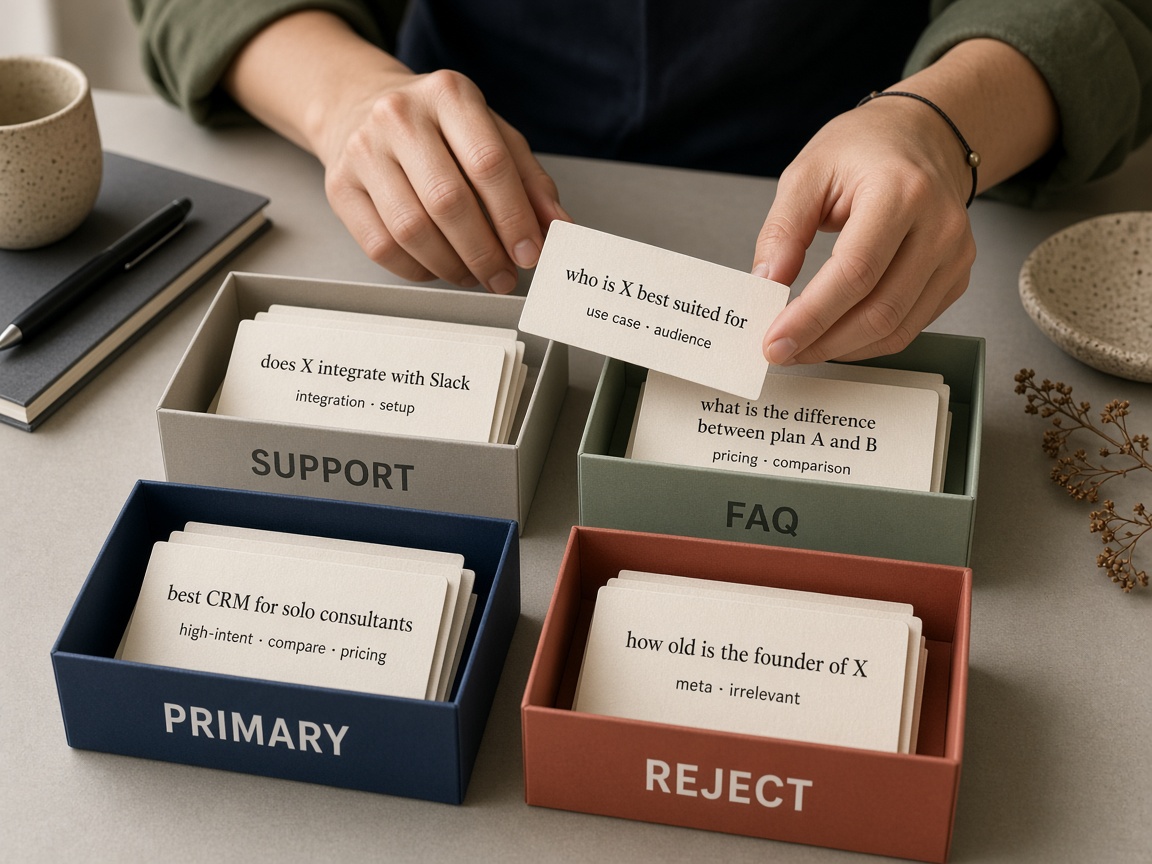
Most long-tail research fails the moment a query is treated as a URL instead of a job inside an existing brief. A phrase that looks specific is not automatically a page. It is a task: win one searcher job, deepen that same job, answer a question the SERP already surfaces, or walk away. When you skip that assignment, writers get a keyword dump and you commission thin pages that collide with work you already own.
Primary means one searcher job the page must win. That is the core intent the title, H1, and opening promise have to satisfy. Support means modifiers that deepen that same job—qualifiers, use cases, objections, and adjacent phrasing that belong in subheads, examples, and internal links, not on a separate URL. FAQ means questions the SERP already surfaces in People Also Ask or snippets; those belong as short, self-contained answers on the same page. Reject means different intent, a different SERP, or a duplicate of a live brief. Rejects are not failures. They are how you keep the calendar from filling with near-duplicates.
Volume and difficulty columns flatten those decisions. A spreadsheet that ranks phrases by traffic potential cannot tell you whether two queries share a SERP, whether a modifier is still the same job, or whether a question already lives in a commissioned outline. Operators who sort only by those columns over-brief: every row becomes a ticket, every ticket becomes a thin page, and the site cannibalizes itself.
Clustering can group related queries, and a template can hold fields. What still has to happen between those two is assignment: each leftover phrase is either the job the page must win, a modifier that deepens that same job, a question the SERP already surfaces, or something you refuse to commission. Skip the stamp and both grouping and templates still ship a dump the writer has to invent a job from.
Assignment first — A long-tail only earns a line in a brief after you assign it a job—primary, support, FAQ, or reject—so you never treat a query as a default new page.
Run a SERP collision test before you brief anything
That assignment layer only works if you check whether the queries already live on the same page. Before anyone writes a title, open the top results for the candidate primary and the two strongest long-tails. Look at the URLs, not the keyword tool. If the same handful of pages dominate both lists, those queries share a page. Do not commission a second brief.
Overlap is the default, not the exception. Search engines already cluster near-synonyms, modifiers, and “also asked” phrasing onto one result when the job-to-be-done is the same. A second URL for a sibling phrase usually becomes a thin page that cannibalizes the first. Split only when format, audience, or job clearly diverges—for example a pricing SERP versus a how-to SERP, a buyer’s comparison versus a beginner explainer, or a local intent versus a national one. If the SERP mix looks interchangeable, keep one brief.
That last line on the brief is the lock. Automation-first keyword-to-brief pipelines skip this judgment gate: they map volume to a template and ship a dump of phrases. Collision-tested assignment is slower for one query and faster for the calendar, because you never pay for a page that should have been a heading.
Collision first — If the SERPs overlap, those long-tails share one brief. Record the collision outcome so nothing downstream invents a sibling URL.
Route every modifier into a named brief field
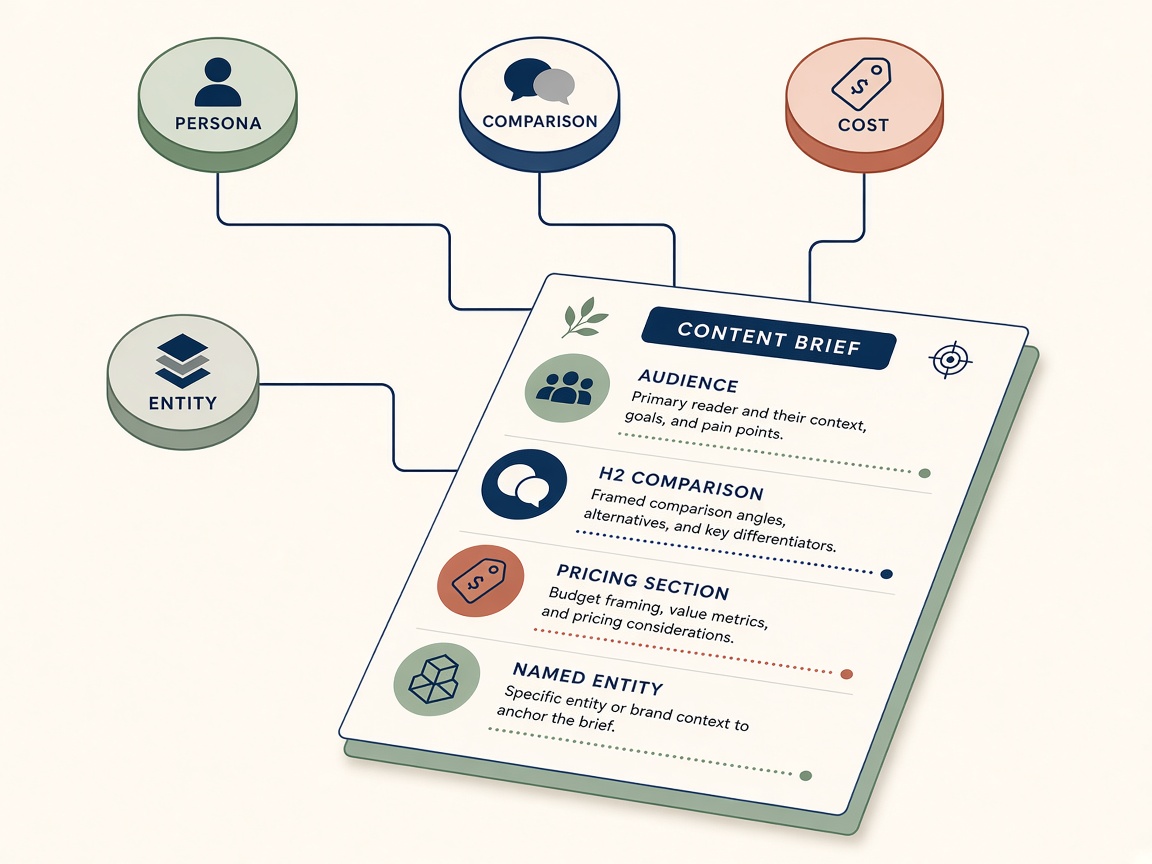
Once the collision test has decided whether a long-tail shares a page or dies, the leftover modifiers still need a home. Do not paste them into a single keyword box. Each class of modifier maps to a named field the writer will actually fill—audience, scope, comparison, commercial, intro lock, or snippet facts—so the brief stays a job, not a dump.
Who and for-role modifiers belong in audience and examples, not in the title. “For agencies,” “for in-house SEOs,” “for beginners” tell the writer who to address and which worked examples to use. They do not justify a second H1. Where modifiers—city, industry, platform, funnel stage—become scope notes: what this page covers and what it leaves out. Scope keeps the piece tight; it is not a list of extra headings waiting to be spun into sibling URLs.
Vs, cost, and definition queries have one job each
Vs and alternative modifiers earn a comparison subsection only if the collision test already showed distinct format, audience, or job. If the same URLs rank for both the primary and the “vs” query, the modifier is reject—not a new outline. Cost and pricing modifiers go into the brief only when the SERP is clearly commercial (product, plan, agency, tool). On informational SERPs they belong in FAQ, not in the body as a pricing block that will never match intent.
Definition queries lock the intro: the first paragraph answers the term so the rest of the page can do the job. Entities, numbers, and extractable facts do not pad the keyword list either. They feed answer-ready snippet fields—short, attributable lines the writer can place in a definition box, a how-to step, or an FAQ so the page can satisfy the long-tail without inventing another URL.
- Who / for-role → audience + examples
- Where / industry / platform → scope notes, never extra H1s
- Vs / alternative → comparison subsection only after a pass; else reject
- Cost / pricing → commercial brief fields or FAQ, depending on SERP
- Definition + entities/facts → intro lock and snippet fields
Field, not dump — Modifiers are routing instructions, not extra keywords. If a class has no named field on the brief, it does not belong on the brief.
Cap the brief so support terms never become thin pages
Once every modifier sits in a named field, the remaining risk is volume: an unbounded harvest that turns a clean assignment into a keyword dump. Cap the brief. One primary, a short supporting set, and a handful of FAQs. That is the whole inventory a writer or model should see. Everything else either belongs on another URL or it belongs on the reject list.
A supporting term earns its slot only if it can be answered without changing the page’s searcher job. Same audience, same format, same decision. If covering it would force a new comparison, a new product class, or a different stage of intent, it is not support—it failed the collision test. Cut it or split it. Do not bury it under an H2 that would deserve its own ranking URL.
Over-packing versus under-packing
Over-packing produces unfocused drafts that try to satisfy every modifier and rank for none of them. Under-packing leaves obvious SERP questions to competitors who will answer them in a sidebar or FAQ block. The useful middle is a visible role for each leftover query: support, FAQ, or reject. Writers never receive a leftover dump in a box; they receive a job.
If a heading would need its own collision-tested URL, it does not get packed into this brief. That discipline is what keeps content scaling from becoming a factory of thin pages. The next lock is intent language the writer and the model cannot drift away from.
Pack with a cap — Cap each brief at one primary, a short supporting set, and a handful of FAQs; any leftover that would change the searcher job is reject or a split, never a buried H2.
Intent locks writers and models cannot drift from
Once the brief is capped and the reject list is visible, the remaining risk is drift: a writer or model who still treats leftover harvest terms as permission to wander. That is what an intent lock prevents. Write it as one sentence that names the searcher job, then name the format the SERP actually rewards—definition, comparison, how-to, list, or commercial roundup. Those two clauses together are the assignment, not a vibe the draft is supposed to infer.
Pair the lock with a must-not list. Adjacent intents are the usual leak: a buyer guide stuffed into a definition page, pricing tables on an informational explainer, or a “best of” roundup grafted onto a troubleshooting query. Spell those out as forbidden moves so padding cannot hide behind “being thorough.” Humans skip implied constraints; models fill them with neighboring jobs. A written must-not is the only reliable stop.
H2s paraphrase roles, not leftover keywords
Outline headings should restate the support and FAQ jobs already assigned—audience examples, scope notes, snippet facts—not introduce unused strings from the harvest. If a drafted H2 would reasonably rank as its own URL, it failed the earlier collision test in disguise. Send it back through that test: overlapping results mean it stays a subsection or FAQ; a true split of format, audience, or job means it leaves this brief rather than growing into a thin sibling. Do not “save” it by expanding the outline.
Paste the lock, the must-not list, and the role-mapped H2s into the brief as copy-ready fields. Shared text is the constraint. Implied intent is how dumps return in outline clothing.
Lock it in writing — One sentence for the searcher job plus the rewarded format, a must-not list, and H2s that only paraphrase assigned roles—copy-pasted into the brief so neither writer nor model can invent a neighboring page.
Hand off a brief, not a leftover keyword list
That lock is what you actually hand off. Writers and models do not need another CSV of leftover long-tails. They need roles already assigned, the intent lock in one pasteable sentence, modifiers already mapped to named fields, and a reject list that stays on the page so nothing “helpful” sneaks back in. The brief is the product of research; the spreadsheet residue is not.
Gate the brief before it leaves research. Every support term must already have a home—an H2, a comparison block, an example set—not a floating keyword box. Every FAQ must map to a question the SERP already rewards, not a modifier you hoped someone would ask. Rejects stay visible. If a term failed collision, lost its job, or would force a sibling URL, it remains on the reject list so production cannot revive it as a thin page.
Volume and difficulty columns belong in the research trail, not in the writing instructions. They helped you decide what to keep. Once roles are set, they do not tell a writer how deep to go, which heading to use, or whether to spin a new URL. Treat them as residue. If they appear on the brief at all, they sit in a notes column the draft is free to ignore.
Check the draft against the same jobs
After the first draft, run a short integrity pass. The primary still has to lead: title, H1, and opening still answer that searcher job. Support terms should appear as paraphrased sections, not competing titles. If a support phrase has been promoted into a headline that could rank on its own, send it back through collision testing—or cut it. FAQs should still match real SERP questions; invented ones are drift.
When that check holds, stop collecting long-tails. The next step is production against this brief—outline, draft, edit—not another harvest of modifiers. Scaling content means repeating this assignment loop, not dumping more queries onto writers who already have a job.
Close the loop — Hand off roles, the intent lock, mapped fields, and a visible reject list. Then produce the page. Do not reopen keyword collection until this brief has done its job.
Key Takeaways
Open your next brief, run collision on the candidate primary, assign every leftover long-tail a job or reject it, and hand writers the locked brief instead of another keyword list.
Frequently Asked Questions
You Might Also Like
- Guides SEO Content Brief Template: The Complete Guide to Briefs That Rank
- Strategy Keyword Clustering: How to Group Keywords into Rankable Topics
- Automation How to Automate Keyword Research for Content Briefs
- Automation Programmatic SEO: How to Scale Pages Without Thin Content
- Guides Free SEO Content Brief Generator: How to Brief Writers in Minutes